

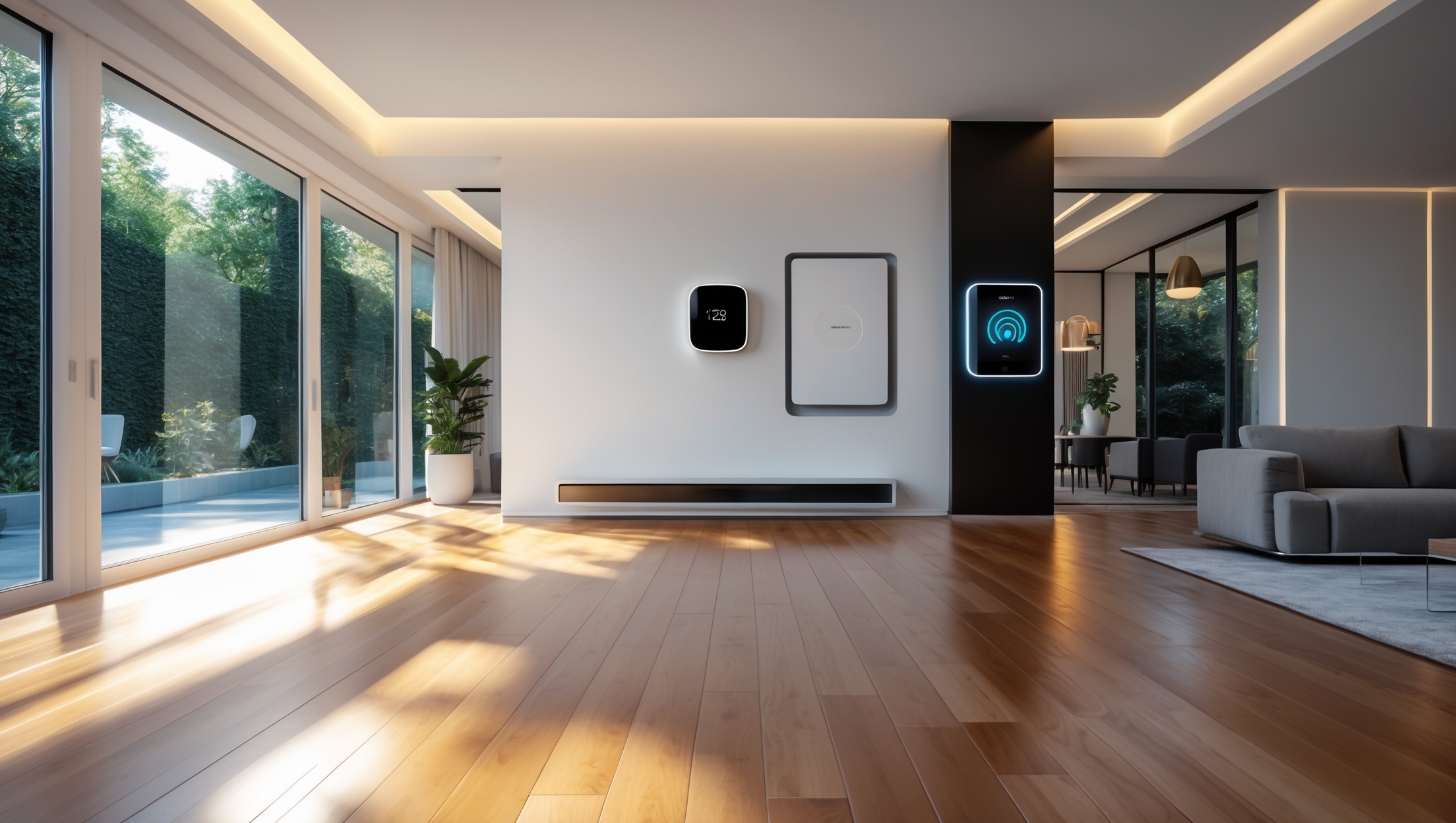
Introduction: Why Smart Home Installations Go Wrong for Beginners
Smart home devices promise convenience, efficiency, and security—but only if they’re installed correctly. Many first-time DIYers dive into smart thermostats, lighting, security cameras, and voice assistants with the hope of transforming their homes overnight. Unfortunately, common beginner mistakes can lead to frustration, connectivity problems, wasted money, or even damaged devices. If you’re ready to modernize your living space, understanding what not to do is just as important as knowing what to do. This guide is your expert roadmap to avoiding the most frequent—and costly—errors when installing smart home technology. We’ll cover equipment selection, budgeting, networking, safety, compliance, and real-world troubleshooting to help you create a seamless, future-ready smart home without the headaches. Whether you’re adding a single smart bulb or building a whole-house automation system, read on to ensure your installation goes right the first time.
Understanding Smart Home Fundamentals
What Counts as a Smart Home Device?
Smart home devices include any equipment that connects to your home network (Wi-Fi, Zigbee, Z-Wave, or Bluetooth) and can be controlled remotely or automated. Popular categories include:
- Smart thermostats
- Smart lighting (bulbs, switches, dimmers)
- Security cameras and sensors
- Smart speakers and voice assistants
- Connected locks and garage door controllers
- Smart plugs and outlets
- Home automation hubs
Essential Network Terminology
Most devices use Wi-Fi, but many also use proprietary wireless protocols. Understanding terms like “mesh networking,” “hub,” “scene,” and “automation” will help you interpret manufacturer documentation—and avoid setup mistakes.
Mistake #1: Not Planning Your Smart Ecosystem Before Buying
The Compatibility Trap
A common beginner error is purchasing devices without checking if they work together. Mixing brands or protocols (e.g., Wi-Fi, Zigbee, Z-Wave) can result in a fragmented system that’s hard to control. For example, a smart lock may require a Zigbee hub, while your lights work only with Wi-Fi.
- Tip: Choose a central platform (like Google Home, Amazon Alexa, or Apple HomeKit) and buy devices certified for it.
- Check compatibility lists on both device and platform websites before purchasing.
- Consider future additions—will your platform support the devices you might want next year?
Underestimating the Power of a Good Hub
Skipping a hub to save money can backfire. Hubs (like SmartThings or Home Assistant) consolidate control and improve reliability, especially for devices using Zigbee or Z-Wave.
- Tip: Even if you start with Wi-Fi devices, plan for a hub if you’ll expand in the future.
Mistake #2: Ignoring Network Limitations
Overloading Your Wi-Fi
Each smart device adds traffic to your network. Cheap routers may become unreliable when supporting 20+ devices, leading to lag or dropped connections.
- Upgrade to a dual-band or mesh Wi-Fi system for large homes or heavy device loads.
- Place your router centrally and avoid interference from microwaves or thick walls.
- Use hardwired Ethernet for stationary devices (like hubs or smart TVs) when possible.
Neglecting Network Security
Weak passwords or outdated router firmware leave your smart home vulnerable to hacking.
- Change default device and router passwords immediately.
- Enable WPA3 security if available, or at least WPA2.
- Keep firmware updated for all devices and routers.
- Consider a separate guest network for smart home devices, isolating them from sensitive computers.
Mistake #3: Skipping the Installation Manual and Manufacturer App
Assuming All Devices Work the Same Way
Each device has unique setup procedures. Skipping the manual can result in missed steps, failed pairings, or voided warranties.
- Download the latest app for your device’s brand before starting.
- Follow installation sequences exactly—many devices require app setup before physical installation.
- Register devices in their native app first, then link to your central platform.
Overlooking Firmware Updates During Setup
New devices may ship with outdated firmware, leading to bugs or incompatibility with your network. Always check for updates as soon as the device connects.
Mistake #4: Underestimating Power and Placement Requirements
Improper Power Supply Choices
Batteries vs. hardwired power matters. For example, battery-powered cameras might last only weeks in high-traffic areas. Hardwiring may require knowledge of electrical codes.
- Plan for easy battery changes or, better, use devices with hardwired or solar power options.
- Never overload outlets with too many smart plugs or adapters.
Poor Device Placement
Wi-Fi signals degrade through walls or metal surfaces. Cameras need clear views; sensors should be at the right height and angle.
- Test device signal strength with your phone before permanent installation.
- Mount cameras at eaves, not easily reachable heights, and avoid aiming at direct sunlight.
- Install door/window sensors near the edge for accurate detection.
Mistake #5: Failing to Budget for the Full Project
Hidden Costs and Upsells
Many smart devices require additional accessories: hubs, mounting kits, professional installation (for in-wall switches), or even monthly cloud subscriptions for video storage.
- Read the fine print for required accessories and ongoing costs.
- Budget for surge protectors or uninterruptible power supplies (UPS) if your area has frequent outages.
- Factor in tool purchases (drills, wire strippers, fish tape) if not already owned.
Sample Budget Breakdown
- Smart thermostat: $120–$250
- Smart lighting starter kit: $50–$180
- Wi-Fi mesh system: $150–$400
- Smart hub: $60–$130
- Professional installation (optional): $50–$200 per device
Plan for a 10–20% contingency for unexpected expenses.
Mistake #6: Overlooking Safety, Compliance, and Privacy
Electrical Codes and Permits
Some smart devices, like in-wall switches or thermostats, may require work inside electrical boxes. DIYers often ignore local code requirements or skip permits.
- Check if your installation requires a permit (especially for high-voltage work or new wiring).
- Turn off power at the breaker before installation.
- Hire a licensed electrician if you’re unsure about wiring, grounding, or box fill limits.
Physical Safety
- Use a stable ladder for high installations; never stand on furniture.
- Wear safety goggles when drilling or running wires through walls.
- Keep tools organized to avoid tripping hazards.
Privacy and Data Security Concerns
Many smart devices collect audio, video, or environmental data. Beginners sometimes enable features without understanding the data implications.
- Review privacy policies before linking cloud accounts.
- Disable unused features, like audio recording, if privacy is a concern.
- Choose devices from manufacturers with a proven track record of software updates and data protection.
Mistake #7: Neglecting Routine Maintenance and Troubleshooting
Firmware and App Updates
Smart devices require periodic updates for security and new features. Set reminders to check for updates monthly.
Battery and Sensor Checks
- Replace batteries twice a year, even if not fully depleted, for security devices.
- Test sensors (motion, door/window) monthly to confirm they trigger as expected.
Wi-Fi and Connectivity Audits
- Run a speed test near each device to check signal strength.
- Reboot your router as part of regular maintenance.
- Document device locations and network names/passwords for future upgrades.
Case Studies: Real-World Smart Home Installation Mistakes
Case 1: The Incompatible Security System
John installed a mix of smart locks, cameras, and a video doorbell—each from a different manufacturer. None worked with his chosen voice assistant. He ended up juggling three apps and missing notifications. The fix? He replaced key devices with models certified for his ecosystem, reducing app overload and improving reliability.
Case 2: The Overloaded Router
Susan’s family added smart bulbs to every room. Their budget router began dropping connections, and home automation scenes failed unpredictably. Upgrading to a mesh Wi-Fi system solved the issue, providing coverage and stability for dozens of connected devices.
Case 3: The Unplanned Subscription Cost
After installing four security cameras, Mark discovered that cloud video storage required a monthly fee per camera. He switched to a local storage system, but not all models supported it. Lesson: Always review ongoing costs and storage options before buying.
Step-by-Step Smart Device Installation Checklist
- Research: Confirm compatibility with your chosen platform and network.
- Plan: Map device locations and ensure power/network access.
- Budget: Include hardware, accessories, installation tools, and subscriptions.
- Prepare Network: Upgrade router or add mesh Wi-Fi if needed.
- Install App: Download the latest manufacturer app and register an account.
- Firmware Update: Check for updates immediately after connecting.
- Physical Install: Follow device-specific manual instructions. Use proper safety gear.
- Integration: Add device to your central platform and test automations/scenes.
- Security: Change default passwords, review privacy settings, and enable two-factor authentication where possible.
- Maintenance: Set reminders for battery replacement, firmware updates, and connectivity checks.
Conclusion: Building a Reliable, Hassle-Free Smart Home
Smart home technology can transform daily routines, improve energy efficiency, and enhance security—but only when installed with care and foresight. As this guide has shown, many of the most frustrating and costly mistakes are avoidable with proper planning, research, and routine maintenance. Always prioritize compatibility and future expansion when choosing devices. Invest in reliable networking, and don’t cut corners on safety or privacy. Read installation materials thoroughly, budget for all components (including accessories and ongoing costs), and never hesitate to seek professional help for complex electrical work.
The smartest homes are not always the ones with the most gadgets, but the ones that work seamlessly, reliably, and securely for their owners. By learning from common beginner errors and following expert recommendations, you can build a system that not only meets your needs today but can also adapt to tomorrow’s innovations. Your investment in careful planning and setup will pay off with convenience, comfort, and peace of mind for years to come.
Ready to start your smart home journey? Use the checklist above as your roadmap, and remember: patience and preparation are your best tools for a truly intelligent home.
You mention that mixing different brands or protocols like Wi-Fi, Zigbee, and Z-Wave can cause compatibility issues. If I already have a few smart devices from different brands, is there an easy way to get them to work together, or should I stick with one ecosystem going forward?
If you already have devices from different brands or protocols, consider using a smart home hub that supports multiple standards (like Wi-Fi, Zigbee, and Z-Wave). Hubs act as a bridge, helping different devices communicate. For future purchases, sticking with one ecosystem does simplify things, but a good hub lets you keep your current devices connected.
Can you recommend a good starting point for budgeting if I want to avoid overspending when setting up a basic smart home system as a beginner?
A helpful starting point is to list the essential features you want, such as smart lights, a hub, and maybe a video doorbell. Research basic models for each, compare their prices, and set a total budget that covers just these initial items. This way, you avoid unnecessary extras as you get started.
The article talks about budgeting for smart home installations to avoid wasted money. Are there specific tips for prioritizing which devices to start with if I have a limited budget and want to avoid beginner mistakes?
If you’re on a limited budget, start with devices that solve daily problems or add the most convenience, like smart bulbs, plugs, or a hub. Focus on one room or function at a time and choose devices compatible with each other to avoid future headaches. This way, you build a solid foundation without overspending.
If I’m on a tight budget, what are the most important smart home devices to start with that won’t cause compatibility headaches later?
If you’re on a budget, start with a smart speaker or display (like Google Nest or Amazon Echo) that supports multiple brands, plus a few smart bulbs or plugs. These core devices work well together, are affordable, and set up a flexible base for adding new devices later without major compatibility issues.
How do I figure out what my budget should be for a starter smart home setup so I don’t run into any surprises or wasted purchases later on?
To plan your budget, list the devices you want most—like smart lights, plugs, or a hub—and check their average prices. Add a little extra for installation or accessories. Research compatibility to avoid buying items that won’t work together, and start small so you can expand without overspending.
The article mentions budgeting as an important step. What are some hidden costs I should watch out for when planning to upgrade to smart lighting and thermostats?
When upgrading to smart lighting and thermostats, watch out for costs like hiring an electrician, purchasing extra hubs or bridges, upgrading your Wi-Fi router for better coverage, and any subscription fees for advanced features or remote access. Replacement batteries and potential wiring updates can also add to your total expenses.
For beginner DIY installs, how can I troubleshoot if a new smart bulb or camera isn’t connecting to my network, even after following the setup guide? Are there typical mistakes people make during setup?
If your smart bulb or camera isn’t connecting, double-check that your Wi-Fi is 2.4 GHz, as many devices don’t support 5 GHz. Confirm your phone is on the same network during setup. Also, ensure passwords are entered correctly and the device is close enough to your router. Common mistakes include skipping firmware updates or not granting necessary app permissions.
You mentioned budgeting as a beginner mistake to avoid. Is it usually better to spend more on a reliable network setup first and add devices gradually, or start with cheaper smart devices and upgrade later?
It’s generally wiser to invest in a strong, reliable network first, even if that means adding smart devices more gradually. A solid network prevents connectivity issues and supports future expansion, while cheaper devices on a weak network can be frustrating and may not perform well.
I’m a bit overwhelmed by all the different wireless protocols like Wi-Fi, Zigbee, and Z-Wave. How do I figure out which one is best for my setup if I want to add more devices later on?
Consider how you plan to use your smart home—Wi-Fi is handy for high-bandwidth devices, while Zigbee and Z-Wave are better for low-power sensors and lights. Check which protocol is supported by your chosen hub and devices, and pick one with good compatibility for future expansion.
You mention budgeting as a key aspect of installation—are there specific costs beginners tend to overlook, like extra network hardware or subscription fees for certain features?
Yes, beginners often overlook costs like additional network hardware (such as range extenders or hubs) to ensure devices work smoothly throughout the home. Subscription fees for features like cloud storage, advanced monitoring, or automation services can also add up over time. It’s helpful to research both initial and ongoing costs before purchasing smart home devices.
You mentioned budgeting as a key mistake beginners make. How much should I realistically expect to spend if I want a basic smart home setup for a small house, like just lights and a thermostat?
For a small house with just smart lights and a thermostat, you can expect to spend around $150 to $350. This covers a few smart bulbs (about $10–$20 each) and a basic smart thermostat ($100–$200). Prices vary by brand and features, so you might pay a bit more for advanced options.
You mentioned compliance and safety in the guide—are there specific electrical code requirements I should check before installing smart switches and outlets myself?
Yes, before installing smart switches and outlets, check that your work complies with your local electrical code, such as using proper wire gauges, connecting ground wires, and ensuring correct circuit breaker ratings. In many places, DIY electrical work may require a permit or inspection, so it’s wise to confirm rules with your local authority first.
You mentioned understanding mesh networking and other terms to avoid mistakes. Is it necessary to have a technical background to figure these out, or are there resources you’d recommend for beginners?
You don’t need a technical background to understand mesh networking or other smart home concepts. Many beginner-friendly guides and videos explain these terms in simple language. Look for resources aimed at smart home beginners, and most device manufacturers also offer straightforward tutorials to help you get started.
If I run into connectivity issues with my new smart thermostat or light switches, are there easy ways to troubleshoot without professional help? I am a bit nervous about messing up my home network.
You can try a few simple steps: restart your router, make sure your devices are close enough to get a strong Wi-Fi signal, and double-check that you’re using the correct network and password. Resetting the device and following the manufacturer’s setup instructions can also resolve common issues.
The article talks about understanding terms like mesh networking and hubs. Can you explain how mesh Wi-Fi differs from a regular Wi-Fi setup when it comes to supporting multiple smart home devices throughout the house?
Mesh Wi-Fi uses several interconnected nodes placed around your home, creating a seamless network that covers more areas with strong, consistent signal. Unlike a regular Wi-Fi router, which has one central point and can have dead zones, mesh systems handle many smart devices better because each node helps distribute the connection evenly.
Do you have any advice for someone on a tight budget who still wants to avoid wasted money during their first smart home installation?
Start by identifying which smart devices will make the biggest impact for your needs, like smart plugs or bulbs. Choose products that are compatible with each other to avoid extra costs later. Buy gradually, testing each device before expanding, and watch for seasonal sales to stretch your budget.
If I run into connectivity issues during installation, what’s the first thing I should troubleshoot—my home network setup or the device itself? I’ve heard mesh networking can help, but I’m not sure where to start.
Start by checking your home network setup—make sure your Wi-Fi is working well and reaching the spot where you’re installing the device. Mesh networking can definitely help if you have Wi-Fi dead zones in your home. Once you confirm the network is strong, then check your device’s settings if there are still issues.
When setting up Wi-Fi for smart home devices, how can I tell if my current router is strong enough for multiple gadgets, or if I need to upgrade it before installing more?
Check your router’s specifications for supported device limits and Wi-Fi standards (like 802.11ac or Wi-Fi 6). If you notice slow speeds, frequent disconnects, or lag when several devices are connected, your router may be struggling. Upgrading is wise if you plan to add more gadgets or want better reliability and coverage.
When planning out a smart home ecosystem, how do you recommend setting an initial budget, especially if you want to start small but keep things compatible for future expansion?
To set an initial budget, list your must-have devices and research their costs, including any needed hubs. Prioritize products from brands known for broad compatibility, like those supporting Matter or major voice assistants. This way, you can start small, avoid overspending, and ensure easier expansion later as your needs grow.
The article mentions budgeting as one of the steps. How much should I realistically expect to spend if I want to automate just my lights and thermostat without running into compatibility issues?
For basic smart lighting and a thermostat, you can expect to spend between $150 to $400, depending on the brands and features you choose. To avoid compatibility issues, stick to products that support popular platforms like Google Home or Amazon Alexa, and check device requirements before buying.
Could you elaborate a bit more on what kind of troubleshooting you suggest if a newly installed smart light keeps dropping off the Wi-Fi network?
If your smart light keeps disconnecting from Wi-Fi, check that it’s within range of your router and not blocked by thick walls. Make sure your Wi-Fi is on 2.4GHz if the light doesn’t support 5GHz. Restart both your router and the light, and double-check that your app and firmware are updated.
You mentioned mesh networking and different protocols like Zigbee and Z-Wave. For someone starting out, is it better to stick with just Wi-Fi devices, or is it worth investing in a hub for other protocols?
If you’re just getting started, Wi-Fi smart devices are usually the simplest, as they connect directly to your home network. However, if you plan to expand your setup or want better reliability and range, investing in a hub that supports Zigbee or Z-Wave can be worth it in the long run.
Is there a way to budget smart home upgrades so I don’t overspend on stuff that might not be compatible later? I want to avoid wasting money if I expand my setup over time.
A good way to budget smart home upgrades is to start with a clear plan: choose a platform (like Google, Alexa, or Apple) and stick with devices that specify compatibility. Begin with essential devices, then expand gradually, always checking for compatibility before buying new items.
Could you clarify how to figure out which smart home devices actually support both Zigbee and Z-Wave, or do most homeowners need to pick just one protocol when starting out?
Most smart home devices support either Zigbee or Z-Wave, but not both. Some hubs, like certain Samsung SmartThings models, support both protocols and can bridge devices together. When starting out, it’s usually easier to pick one protocol based on the devices you want to use and your chosen hub’s compatibility.
When planning a smart home setup, how do you determine whether to invest in a dedicated hub versus relying solely on Wi-Fi-connected devices? Are there advantages to picking one approach over the other for beginners?
Choosing between a dedicated hub and Wi-Fi devices depends on your needs. Hubs can offer better reliability, security, and control for multiple devices, especially if you plan to expand. Wi-Fi devices are easier to set up and good for beginners with just a few gadgets. If you want flexibility and scalability, consider starting with Wi-Fi and add a hub later if needed.
You brought up budgeting as a key factor. Do you have suggestions for which types of smart home devices should be prioritized first to avoid overspending, especially if someone wants to expand their system gradually?
To keep costs in check and build a solid foundation, it’s best to start with smart plugs, bulbs, or a central smart speaker or hub. These devices are affordable, easy to use, and help you learn what features matter most before investing in more complex systems like security cameras or thermostats.
The article mentions budgeting as a key part of planning. Do you have any tips on estimating the total costs for a basic smart home setup and avoiding unnecessary purchases?
To estimate costs, list the essential devices you need (like smart lights, a hub, or thermostat), compare prices across brands, and factor in installation tools or professional help if needed. Set a spending limit in advance and avoid buying bundles or features you don’t really need, focusing on core functions first.
You mentioned budgeting as one of the key mistakes to avoid. Could you give examples of hidden costs that first-time buyers often overlook when installing multiple smart home devices?
Some hidden costs to watch for include subscriptions for cloud storage or advanced features, the need for extra hubs or bridges, professional installation fees, and potentially upgrading your Wi-Fi router to support more devices. Also, factor in batteries, mounting hardware, and possible electrical work.
If I want to automate both my lighting and security cameras, should I prioritize getting devices from the same brand, or is it okay to mix and match as long as they work with a central hub?
It’s perfectly fine to mix and match brands, as long as all your devices are compatible with your chosen central hub or smart home platform. Just make sure the hub supports both your lighting and security camera brands for smooth integration and control.
Can you explain more about mesh networking and whether it’s really necessary for a small home business setup with about 10 smart devices?
Mesh networking uses multiple Wi-Fi nodes to extend coverage and improve reliability. For a small home business with about 10 smart devices, it’s not strictly necessary unless you have Wi-Fi dead zones or thick walls. A strong single router often works well, but mesh can help if you experience weak signals in parts of your space.
When planning a smart home ecosystem, is it better to stick to one brand for everything or mix and match as long as they support the same protocols like Zigbee or Wi-Fi?
Sticking to one brand often ensures smoother integration and a more unified app experience. However, mixing brands that share the same protocols like Zigbee or Wi-Fi can work well and offers more flexibility. Just be sure to check compatibility and consider how easily devices can be managed together.
How much tech knowledge do I really need to avoid common mistakes mentioned here, or is it possible for someone with just basic computer skills to install and troubleshoot these devices successfully?
You don’t need advanced tech knowledge to avoid most beginner mistakes with smart home devices. If you have basic computer skills—like connecting Wi-Fi, using apps, and following instructions—you should be able to install and troubleshoot these devices successfully by following the tips in the article.
When you mention mesh networking and hubs, do I need to invest in a separate hub for each type of device, or can one hub connect multiple brands and protocols?
Many modern hubs can connect devices from multiple brands and support different protocols like Zigbee, Z-Wave, and Wi-Fi. Before buying, check that the hub is compatible with the specific devices you plan to use, so you usually don’t need a separate hub for each device type.
I’m curious how a small business owner like myself can ensure smart security cameras and sensors will work reliably with our existing Wi-Fi, since the article mentions both compatibility and connectivity issues. Are there ways to test devices before purchasing?
To check compatibility and reliability, you can ask vendors for demo units or trial periods before buying. Also, test devices on your network bandwidth using loaner programs, or simulate usage with one device first. Confirm your Wi-Fi supports the cameras’ requirements, and consult your IT provider for a quick compatibility assessment if possible.
I noticed you mentioned a lot about different network protocols like Zigbee and Z-Wave. Is there an easy way for a parent like me to figure out which protocol will be best for a mix of security cameras and smart bulbs?
For a mix of security cameras and smart bulbs, consider that cameras usually use Wi-Fi, while bulbs can use Zigbee, Z-Wave, or Wi-Fi. If you want everything on one protocol, Wi-Fi-compatible devices might be simplest, but Zigbee is also popular for bulbs. Check that your chosen smart home hub supports the brands you want—compatibility is key for hassle-free setup.
If I want to slowly add more devices over time, is it better to stick with one brand, or are there good ways to mix different brands and protocols without running into problems?
You can mix brands, but it’s easiest to start with devices that support common standards like Matter, Zigbee, or Z-Wave. Using a compatible smart home hub or platform, such as Google Home or Amazon Alexa, also helps manage different brands smoothly. Sticking to one ecosystem can reduce setup headaches, but mixing is possible with the right tools.
I’m new to this and a little confused about mesh networking and hubs. Is it necessary to have a dedicated hub for things like Zigbee devices, or can most of them connect directly to my Wi-Fi router?
Most Zigbee devices require a dedicated hub, as they can’t usually connect directly to your Wi-Fi router. The hub acts as a bridge between your Zigbee devices and your home network. Some brands combine hubs for Zigbee and Wi-Fi, but generally, a hub is needed for reliable Zigbee connections.
If my Wi-Fi signal is spotty in some rooms, will that impact the performance of smart lighting or security cameras? Should I consider mesh networking before I start buying these devices?
Yes, a weak Wi-Fi signal can cause smart lighting and security cameras to lag, disconnect, or miss notifications. Considering a mesh networking system is a good idea, as it can provide more consistent coverage throughout your home and help your devices work reliably in every room.
The article mentions that not budgeting can be a mistake. Are there specific hidden costs beginners should look out for when starting with smart security cameras or smart thermostats?
Yes, there are a few hidden costs to consider with smart security cameras and thermostats. These can include subscription fees for cloud storage or advanced features, professional installation charges, the need for extra hubs or wiring, and higher energy use if not configured properly. Always review ongoing costs before purchasing.
The article talks a lot about planning your smart ecosystem, but what if you already have a few random smart devices from different brands? Is it worth investing in a hub to tie everything together, or should you start over for better compatibility?
If your current devices still meet your needs, investing in a smart hub can help unify control and improve compatibility, even with different brands. Starting over might only be worthwhile if your devices are outdated or frequently incompatible, but most modern hubs support a wide range of products.
If I already have some older smart bulbs that use Zigbee, but I want to add newer Wi-Fi devices, what’s the best way to avoid compatibility headaches mentioned in the article?
To keep things running smoothly, use a smart home hub or platform that supports both Zigbee and Wi-Fi devices, like SmartThings or Home Assistant. This lets you control everything in one app and avoids juggling multiple systems or running into connection issues.
The article mentions the importance of understanding terms like mesh networking and automation. For a beginner, what’s the best way to learn about these concepts before starting an installation?
A good way to get started is by looking up simple video explainers or beginner guides online for terms like mesh networking and automation. Many manufacturers also provide glossaries or tutorials on their websites, which break down these ideas clearly. Understanding the basics beforehand will make installation much smoother.
The article mentions compatibility issues between different brands and protocols. If I’ve already bought a couple of devices that use different standards like Zigbee and Wi-Fi, is there an easy way to get them to work together without replacing anything?
You can use a smart home hub that supports multiple standards like Zigbee, Wi-Fi, and others to bridge the gap between your devices. Some hubs or platforms integrate various protocols, letting you control all your devices from one app without needing to replace them.
When planning a smart home setup as a beginner, how can I figure out if different brands using protocols like Zigbee and Wi-Fi will work together smoothly on the same network?
To check if different brands and protocols like Zigbee and Wi-Fi will work together, look for compatibility with a common smart home hub or platform, such as Alexa, Google Home, or Apple HomeKit. Make sure your chosen hub can control devices with both protocols, and always check manufacturer compatibility lists before buying.
You mention understanding mesh networking and different protocols like Zigbee and Z-Wave. For a total beginner aiming for simple automation, is it better to stick to just Wi-Fi products or invest in a separate hub from the start?
For a total beginner who wants simple automation, starting with Wi-Fi-only products is usually easier since they work directly with your home network and don’t need a separate hub. You can always expand later if you want more advanced features or better reliability from Zigbee or Z-Wave devices.
The article mentions proprietary wireless protocols like Zigbee and Z-Wave in addition to Wi-Fi. How should I decide which type is best for my planned setup, especially if I might expand later?
Consider how many devices you plan to add and whether you want flexibility in the future. Zigbee and Z-Wave are great for reliable, low-power connections between many devices, while Wi-Fi is easier for beginners but can crowd your network. If you think you’ll expand, look for a hub that supports multiple protocols.
When it comes to budgeting, are there any hidden costs I should watch out for besides just buying the smart devices themselves?
Yes, besides the devices, you might need extra items like compatible hubs, wiring, or upgraded routers. Also, consider possible installation fees, subscription costs for advanced features, and increased electricity use. Planning for these can help avoid surprises.
If I already have a few smart bulbs and want to add more devices, what’s the best way to check if everything will work together before buying? Are there common compatibility pitfalls to watch out for with different brands?
To ensure your new devices will work with your existing smart bulbs, check if they all support the same ecosystem (like Alexa, Google Home, or Apple HomeKit). Look for the same wireless protocol—Wi-Fi, Zigbee, or Z-Wave. Common issues include mixing brands that don’t use the same hub or app, so double-check compatibility before buying.
Does the article cover whether certain brands of smart thermostats and lighting work better together on the same network, or is sticking to one brand best for compatibility?
The article suggests that using devices from the same brand can help ensure better compatibility, but it also notes that some brands design their products to work well with others. It emphasizes checking compatibility before buying, rather than insisting on a single brand for everything.
Can you explain a bit more about how different protocols like Zigbee and Z-Wave interact with Wi-Fi devices? Is it better to stick to one protocol, or can mixing them make a system more reliable?
Zigbee and Z-Wave use their own networks, separate from Wi-Fi, but they all connect through a hub or controller that bridges them to your smart home system. Mixing protocols can increase compatibility and let you choose the best device for each purpose, but it does add complexity. Sticking to one protocol can simplify setup and troubleshooting.
When setting up the network for multiple smart devices, how do I know if my Wi-Fi can handle the load and what are the signs that I might need to upgrade my router or switch to mesh networking?
If your Wi-Fi struggles with many devices—like slow speeds, frequent disconnects, or some gadgets failing to connect—you may be reaching your network’s limit. If this happens often, upgrading to a newer router or switching to a mesh system can provide better coverage and handle more smart devices smoothly.
The article mentions networking and mesh systems—do you have any tips for someone in an older home with thick walls that kills Wi-Fi signals? Would a wired solution or extra access points be better for smart devices?
In older homes with thick walls, a wired solution like Ethernet is the most reliable for smart devices, since it avoids interference. However, if running wires is difficult, adding mesh Wi-Fi nodes or extra access points near device locations can also help boost coverage and performance.
The guide talks about budgeting, but how much should beginners realistically expect to spend to get started with a reliable smart home system—not counting premium features?
For a basic yet reliable smart home setup—think smart lights, plugs, and a hub—you can expect to spend around $150 to $300. This covers good quality entry products without premium extras like advanced security cameras or custom automation.
You mention budgeting as an area where beginners often make mistakes. Can you give a rough idea of typical hidden costs when setting up a basic smart home system for the first time?
Some common hidden costs include extra smart plugs, compatible hubs or bridges, professional installation fees, and ongoing subscription services for certain devices. Also, you might need updated wiring or stronger Wi-Fi coverage, both of which could add to your expenses. These often get overlooked in initial budgeting.
When you mention different wireless protocols like Zigbee and Z-Wave, how do I figure out which one my existing devices use, or if I need a special hub to make them work together?
Check the packaging or manuals of your devices—manufacturers usually list supported protocols there. If you’re unsure, search your device model online. To connect Zigbee and Z-Wave devices, you’ll often need a compatible hub that supports both protocols, since most devices can’t communicate across different standards without one.
You mention budgeting as an important factor when planning smart home installations. Do you have any tips for estimating the total costs, especially with hidden expenses like extra wiring or professional setup?
To estimate total costs, list all devices you want and check their requirements—some need hubs or extra accessories. Include items like cables, brackets, and possible electrical upgrades. Ask vendors about installation fees, and get quotes from professionals if you’re unsure. Plan a buffer of 10–20% for unexpected expenses to avoid surprises.
You mention that mixing brands or protocols can be a trap. For someone on a tight budget, is it better to stick with one ecosystem even if the devices are a bit pricier?
Yes, sticking with one ecosystem helps ensure your devices work smoothly together, saving time and headaches later. While it may cost a bit more upfront, you’ll likely avoid compatibility issues, extra hubs, and wasted money on devices that won’t connect properly.
The article mentions mesh networking and different protocols, but if my Wi-Fi at home is spotty in some rooms, will adding more smart devices make things worse or can they help extend coverage?
If your smart devices support mesh networking—like Zigbee, Z-Wave, or Wi-Fi mesh systems—they can actually help extend your network coverage. However, simply adding more regular Wi-Fi devices might worsen spotty coverage. Consider mesh Wi-Fi routers or smart devices designed to act as repeaters to improve connectivity.
If I’m just starting with smart bulbs and a thermostat, do you recommend setting up a dedicated hub right away, or is it fine to stick with Wi-Fi only until I expand?
If you’re just starting with smart bulbs and a thermostat, it’s perfectly fine to use Wi-Fi only for now. Most entry-level devices work well without a dedicated hub. You can always add a hub later if you expand your setup or want more advanced features.
When you mention networking terms like mesh networking and hubs, is it better for beginners to stick with Wi-Fi-only devices, or should we try to learn about those other protocols from the start?
Wi-Fi-only devices are usually easier for beginners because they’re straightforward to set up and work with your existing network. As you gain confidence, you can explore mesh networks and hubs, which offer better coverage and control but require some extra learning.
The article mentions budgeting as one of the planning steps. For a small business just starting out, what are the hidden costs to watch out for besides just the devices themselves?
In addition to the devices, be sure to consider costs like professional installation, network upgrades, extra wiring, ongoing software subscription fees, and possible maintenance or repair expenses. Also, allocating budget for training staff to use the system can help avoid future headaches.
For someone on a tight budget, which smart home device category would you recommend starting with to maximize both convenience and long-term scalability as mentioned in the guide?
Starting with smart plugs is a great choice if you’re on a budget. They offer immediate convenience by making ordinary devices smarter, and you can expand your system over time by adding more plugs or integrating with other compatible devices for future scalability.
Is it possible to upgrade older smart home devices later to be compatible with new protocols like Zigbee or Z-Wave, or would I need to replace them completely?
Upgrading older smart home devices to support new protocols like Zigbee or Z-Wave is usually not possible through software updates alone. In most cases, you’ll need to replace incompatible devices with newer models that natively support the desired protocol. However, some hubs or bridges can help connect different protocols together as a workaround.
What are some common signs that a smart home device wasn’t installed with proper network planning, and what troubleshooting steps would you recommend for frequent connectivity issues?
Common signs of poor network planning include devices disconnecting often, slow response times, or failing to pair. For troubleshooting, check your Wi-Fi signal strength near the device, reduce interference from other electronics, ensure your router firmware is up to date, and consider assigning static IP addresses. Extending your network with a mesh system may also help.
You mentioned the risk of mixing brands or protocols like Wi-Fi, Zigbee, and Z-Wave. For someone on a tight budget, is it better to stick with one brand even if other brands have cheaper options for some devices?
Sticking with one brand or protocol can simplify setup and troubleshooting, especially for beginners. However, if you’re on a tight budget, you can mix brands as long as you ensure they’re compatible with your chosen smart home hub or ecosystem. Just be mindful that integration issues may arise if you mix too many different systems.
Can you explain a bit more about planning a smart home ecosystem on a budget? I want to avoid wasted money but still get solid security and lighting options.
Start by deciding which features matter most—security and lighting in your case. Choose devices that work together (like those supporting the same app or ecosystem). Consider smart bulbs and entry-level cameras from reputable brands, and expand as needed. Set a budget before shopping, and don’t forget to factor in any hub or subscription costs for security services.
If I already have a Wi-Fi network at home but want to add devices that use Zigbee or Z-Wave, do I need to invest in a separate hub for those, or is there an easier way for beginners?
If your smart devices use Zigbee or Z-Wave, most will require a dedicated hub to communicate with your Wi-Fi network, since Wi-Fi alone won’t support them. Some smart speakers or security systems have built-in Zigbee or Z-Wave support, which can be easier for beginners, but generally, a hub is needed.
When it comes to setting up the network for smart devices, how important is it to upgrade my home Wi-Fi, or should I consider using a dedicated hub for better reliability?
Upgrading your home Wi-Fi can make a noticeable difference, especially if you have many devices or an older router. A dedicated hub can also improve reliability for devices that support it, reducing network congestion. For the best results, ensure your Wi-Fi has good coverage and consider a hub for devices like smart lights or sensors that are compatible.
When starting out, how much should someone realistically budget if they want to set up smart lighting and a security camera system without making the usual rookie mistakes mentioned here?
For a solid beginner setup with smart lighting and a security camera system, budgeting around $300 to $600 is realistic. This covers quality starter devices and some extra for proper hubs, wiring, and potential professional help—helping you avoid common mistakes like compatibility issues and poor installation.
I noticed issues with network connectivity are a big beginner pitfall. If some of my devices are on Wi-Fi and others on Zigbee, what’s the best way to set up my home network to prevent interference or dropped connections?
To minimize interference, place your Wi-Fi router and Zigbee hub away from each other, ideally several feet apart. Use different channels for 2.4GHz Wi-Fi and Zigbee if possible, and avoid overcrowding your network with too many devices on one band. Keeping firmware updated can also help maintain stable connections.
The article suggests budgeting as a key part of planning. Are there any hidden costs, like subscription services or increased electricity use, that people new to smart home technology might overlook?
Yes, newcomers often overlook hidden costs like required subscription fees for features such as cloud storage or advanced automation. Some devices can also slightly increase your electricity bill if they’re always on or charging. It’s wise to check for ongoing service costs and estimate the energy use of new devices before buying.
You mention budgeting as part of planning—do most smart home ecosystems require ongoing subscription fees for features like remote access or security, or is it possible to avoid those extra costs?
Many smart home ecosystems offer basic features without ongoing fees, but advanced options like cloud storage, remote access, or enhanced security often require subscriptions. If you want to avoid extra costs, look for devices that support local control and storage or choose brands that don’t lock core features behind a paywall.
The article mentions budgeting as part of the installation process—are there specific hidden costs that beginners tend to overlook when setting up their first smart home devices?
Yes, beginners often overlook hidden costs like extra wiring, compatible hubs or bridges, professional installation fees, and ongoing subscription charges for certain device features or cloud services. Make sure to factor in batteries, mounting hardware, and even potential Wi-Fi upgrades to avoid surprises.
When selecting devices that use different protocols like Wi-Fi, Zigbee, or Z-Wave, do you recommend investing in a universal hub from the start, or can most beginners manage with just their existing router setup?
For beginners, starting with Wi-Fi devices managed by your existing router is often easiest. If you plan to mix devices using Zigbee or Z-Wave, a universal hub helps simplify control and future expansion, but it’s not essential for a small, basic setup.
How can I figure out if a smart device uses Zigbee or Z-Wave before I buy it, and does it really make a difference for someone just starting out?
You can usually find whether a device uses Zigbee or Z-Wave on its product packaging or in the specifications online. For beginners, the main difference is compatibility; make sure your smart hub supports the same standard as your devices. Otherwise, either works well for most basic setups.
Do you have any advice for small business owners trying to automate both lighting and security systems, especially when different brands use different wireless protocols? It seems easy to make a compatibility mistake.
When automating lighting and security systems across different brands, look for a smart hub or gateway that supports multiple wireless protocols like Zigbee, Z-Wave, and Wi-Fi. This helps unify your devices. Also, check device compatibility lists before purchase, and consider starting with brands known for broad ecosystem support.
If I already have a few smart bulbs and a Nest thermostat, how can I check if future devices I buy will all work together? Is there a good way to avoid compatibility problems up front?
To avoid compatibility issues, check if new devices support the same platform you already use, like Google Home or Alexa. Look for labels such as ‘Works with Google’ or ‘Works with Alexa’ on packaging. Also, consider devices supporting Matter or Zigbee, which are designed for broader compatibility.
The article mentions budgeting as a key part of smart home planning. Can you suggest how much I should realistically set aside for a basic setup with smart lights and a thermostat, including any networking upgrades?
For a basic smart home setup with smart lights and a thermostat, budget around $200–$400. Smart bulbs typically cost $10–$30 each, and a smart thermostat ranges from $100–$250. If your Wi-Fi needs improvement, set aside another $50–$100 for a basic router or range extender. Costs can vary depending on brand and home size.
The article mentions safety and compliance—are there any specific certifications or approvals I should look for before purchasing smart outlets or switches to avoid electrical problems?
Yes, look for certifications like UL (Underwriters Laboratories), ETL (Intertek), or CSA (Canadian Standards Association) on smart outlets and switches. These marks indicate that the devices meet recognized safety and electrical standards, helping you avoid potential hazards or code violations.
You mentioned the importance of understanding different protocols like Zigbee, Z-Wave, and Wi-Fi. If I already have a Wi-Fi network, is there any real benefit to choosing devices that use Zigbee or Z-Wave instead?
Yes, there are benefits to Zigbee and Z-Wave devices even if you have Wi-Fi. These protocols often use less power, create reliable mesh networks for better coverage, and reduce congestion on your Wi-Fi. They’re especially useful if you plan to add lots of smart devices throughout your home.
What should I look out for when budgeting for a basic smart home setup so I don’t end up wasting money on incompatible devices?
When budgeting, make sure the devices you choose are compatible with each other and your home’s Wi-Fi. Stick to one or two major ecosystems like Amazon Alexa or Google Home to avoid compatibility issues. Also, factor in any required hubs or subscriptions, so you don’t have unexpected costs later.
I’m confused about mesh networking versus just using my regular Wi-Fi for devices. Is mesh only necessary for bigger homes, or does it actually help avoid connection problems even in apartments?
Mesh networking isn’t just for big homes—it can help in apartments if you have dead zones, thick walls, or spotty Wi-Fi. If your devices regularly disconnect or have slow speeds, a mesh system can improve coverage and provide a more reliable connection everywhere, even in smaller spaces.
How much should I budget for a basic smart home setup that includes lighting and a thermostat, and are there certain brands that are more beginner-friendly when trying to avoid compatibility issues?
For a basic setup with smart lighting and a thermostat, budgeting around $200 to $350 is reasonable. Philips Hue and Google Nest are beginner-friendly brands known for reliable compatibility and easy installation. Both offer robust support if you run into issues, making them ideal for first-time users.
When budgeting for a first smart home installation, what hidden costs should I watch out for beyond just buying the devices themselves?
Besides the cost of the devices, watch for hidden costs like extra wiring, hiring a professional for installation, possible upgrades to your Wi-Fi network, subscription fees for certain apps or features, and buying compatible hubs or sensors. These can add up, so factor them into your overall budget.
If I accidentally chose a smart home device that doesn’t mesh well with my network or other equipment, is there a practical way to get them working together without replacing what I already bought?
You might be able to get your devices to work together by using a smart home hub, compatible bridge, or third-party integration platform. These tools often help connect devices from different brands and standards without needing to replace your current equipment.
You mentioned budgeting as a key part of planning. Are there affordable starter kits that handle both smart lighting and security, or is it usually cheaper to buy items separately?
Some starter kits bundle smart lighting and basic security features, which can be convenient and cost-effective for beginners. However, prices vary, and sometimes buying devices separately lets you choose specific brands or features for less money overall. Compare both options and check what’s included to make sure you get the best value for your needs.
Could you give some advice on how to plan a smart home ecosystem before I actually start buying devices? I’m not sure which protocols might work best together.
Before buying devices, list what you want to automate or control, like lights, security, or heating. Research which platforms (such as Google Home, Apple HomeKit, or Amazon Alexa) best fit your needs. Choose devices that support common protocols like Wi-Fi, Zigbee, or Z-Wave for broader compatibility. Make sure your chosen hub or platform supports those protocols, so your devices can work together smoothly.
If I run into connectivity problems with my store’s smart thermostat and lighting after installation, what are some real-world troubleshooting steps you recommend before calling in a professional?
First, restart your router and the smart devices to refresh connections. Make sure your devices are within Wi-Fi range and not blocked by thick walls. Double-check that your router’s 2.4GHz band is enabled, as many smart devices use it. Also, confirm your app and firmware are up to date. Finally, try reconnecting the devices to your network.
When you mentioned that some devices use Zigbee or Z-Wave instead of Wi-Fi, does that mean I need to buy a separate hub for those, or can most routers handle everything out of the box?
Most standard Wi-Fi routers do not support Zigbee or Z-Wave directly. If your smart home devices use those protocols, you’ll usually need a dedicated hub or bridge that connects to your router and translates signals between Zigbee/Z-Wave devices and your network.
How can I estimate a reasonable budget for a smart home setup if I want to avoid overspending, especially since compatibility seems like a big issue for beginners?
Start by listing the areas you want to automate, like lighting or security, then research devices that are compatible with each other and your chosen smart home platform. Set a maximum amount for each category, include possible installation costs, and allow a buffer for unexpected expenses. This helps you prioritize must-haves and prevents overspending.
The article mentions mesh networking and different wireless protocols for smart devices. How can I tell if my existing home Wi-Fi network is strong enough, or if I should upgrade to a mesh system before adding smart devices?
To assess your Wi-Fi, check if you currently have weak spots or dropped connections in areas where you plan to install smart devices. If some rooms have slow or unreliable internet, a mesh system can help provide consistent coverage. You can also use a Wi-Fi speed test app in different rooms to see if the signal is strong everywhere.
The article mentions different networking protocols like Wi-Fi, Zigbee, and Z-Wave. How can I figure out which protocol is best for my specific needs if I’m just starting to build my smart home system?
If you’re just starting out, consider what devices you want and how tech-savvy you feel. Wi-Fi devices are easy to set up and work with most routers, but can slow your network if you add many devices. Zigbee and Z-Wave require a hub, but they offer better reliability and don’t crowd your Wi-Fi. Look at what your preferred devices support and think about future expansion.
The article mentions ‘mesh networking’ and different wireless protocols like Zigbee and Z-Wave. How do you decide which protocol is best for a beginner’s smart home setup?
Choosing a protocol depends on your needs and devices. For beginners, Wi-Fi-based devices are often easiest since they work with your existing network. Zigbee and Z-Wave require separate hubs but can offer better reliability as your setup grows. If you want simplicity, start with Wi-Fi; for future expansion, consider Zigbee.
If I already have a Wi-Fi network at home, do I really need to worry about other protocols like Zigbee or Z-Wave when adding a few smart bulbs and plugs?
If you’re just adding a few smart bulbs and plugs, Wi-Fi devices should work well with your existing network. Zigbee or Z-Wave become more relevant when you want to expand your setup for better reliability, reduced Wi-Fi congestion, or to connect a wider range of smart devices.
When you mention mixing brands or protocols like Wi-Fi and Zigbee, how do I figure out ahead of time which devices will actually work together? Is there some sort of compatibility chart or tool I should use before buying?
To check compatibility, look for devices certified by the same smart home platform (like Alexa, Google Home, or Apple HomeKit). Some manufacturers list compatible brands or protocols on their websites. Using the manufacturer’s compatibility lists or searching for device compatibility tools online before buying can help you avoid mismatches.