

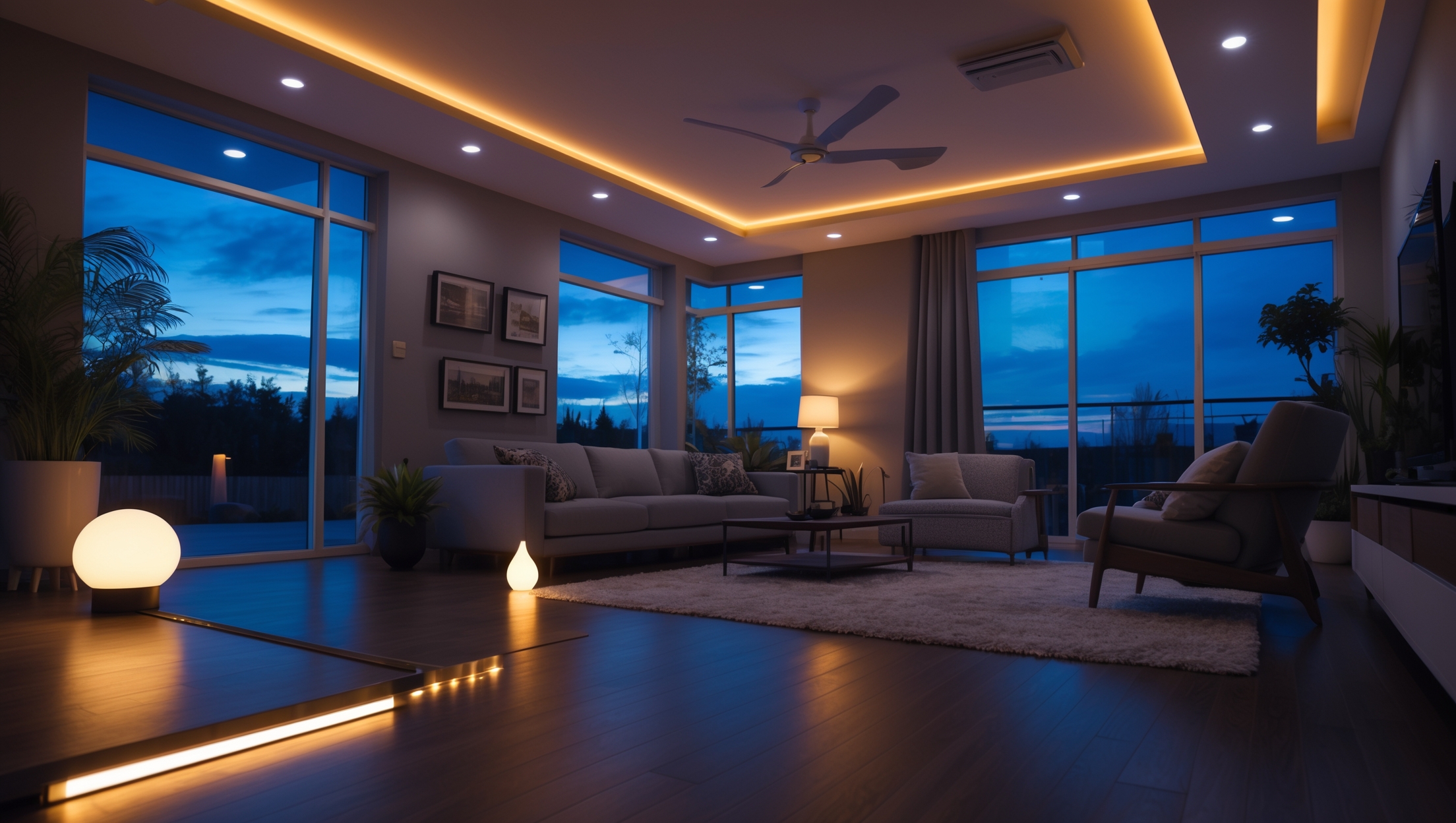
Introduction: The Real Cost Behind Smart Home Lighting Upgrades
Smart home lighting has rapidly shifted from luxury to mainstream, offering homeowners energy efficiency, convenience, and a touch of modern sophistication. Yet, while the promise of voice-activated dimming and app-controlled ambiance is enticing, many homeowners find themselves surprised by the true costs of making the switch. A common pitfall? Underestimating the full scope of expenses involved. Beyond the sticker price of smart bulbs or switches, there are hidden costs—like compatibility upgrades, installation fees, network requirements, and even ongoing maintenance—that can quickly inflate your budget. Whether you’re a tech enthusiast aiming to automate your entire house or a newcomer curious about upgrading a single room, understanding these overlooked costs is essential. In this guide, we’ll break down every expense you might encounter, share proven budgeting strategies, and help you make smart financial decisions. The goal: ensure your smart lighting upgrade is seamless, cost-effective, and delivers lasting value to your home.
Understanding Smart Lighting Systems: Core Components and Choices
Before diving into budgeting, it’s crucial to recognize what smart lighting entails. Today’s market offers a spectrum of products, each with its specific features and cost implications.
Types of Smart Lighting
- Smart Bulbs: Wi-Fi or Bluetooth-enabled bulbs that screw into standard sockets. Features vary by brand—color-changing, dimming, and scheduling are common.
- Smart Switches and Dimmers: Replace traditional wall switches, allowing control over existing light fixtures via apps or voice assistants.
- Smart Plugs: Adapt traditional lamps or fixtures for smart control by plugging them into a controllable outlet.
- Smart Lighting Hubs: Central controllers (like Philips Hue Bridge) that connect and manage multiple devices, sometimes required for advanced features.
Factors That Influence Cost
- Brand and Ecosystem: Premium brands offer better integration and reliability but come at a higher price.
- Compatibility: Ensuring your chosen products work with existing wiring, fixtures, and smart home platforms (Alexa, Google Home, Apple HomeKit) can require additional purchases or upgrades.
- Installation Complexity: Swapping bulbs is simple, but replacing switches or integrating automation routines may require professional help.
Obvious vs. Hidden Costs: What’s Often Overlooked
Most homeowners budget for the upfront price of bulbs or switches. However, a truly accurate budget must account for less visible expenses. Here’s what often gets missed:
Hardware and Installation
- Wiring and Electrical Upgrades: Some homes, especially older ones, lack the neutral wires required by many smart switches. Upgrading wiring can cost $150–$500 per switch location.
- Professional Installation: Electricians typically charge $75–$200 per hour. Complex multi-way switches or fixture upgrades can add hours of labor.
- Wall Repair and Finishing: Cutting into walls for wiring may require patching, painting, or even drywall replacement.
- Smart Hubs and Bridges: Some lighting systems require a separate hub ($50–$150) for network connectivity.
Network and Technology
- Wi-Fi Upgrades: Multiple devices can strain older routers. Mesh Wi-Fi or a new router ($100–$400) may be needed for reliable performance.
- Device Limits: Some routers cap the number of simultaneous device connections, leading to potential network upgrades.
- Firmware and App Subscriptions: While basic control is free, advanced automation or cloud storage features may require ongoing fees ($2–$10/month).
Long-Term Expenses
- Replacement and Maintenance: Smart bulbs typically last 15,000–25,000 hours, but they can fail sooner, especially with power surges. Replacing high-end bulbs can range from $15–$60 each.
- Software Obsolescence: Manufacturers may discontinue support for older devices, requiring replacement for compatibility with new ecosystems.
- Power Consumption: Smart bulbs draw a small amount of standby power, adding a negligible but real uptick to your utility bill over time.
Integration and Automation
- Additional Sensors: To enable motion-activated lighting or occupancy-based routines, you may need to purchase extra sensors ($20–$60 each).
- Voice Assistant Devices: For voice control, you may need smart speakers or displays ($30–$250).
Budget Breakdown: A Room-by-Room Example
To visualize costs, let’s examine a sample budget for upgrading a typical living room to smart lighting.
- 4 Smart Bulbs (color-changing, Wi-Fi enabled): $120 ($30 each)
- 2 Smart Dimmer Switches: $100 ($50 each)
- 1 Lighting Hub (if required): $75
- Wi-Fi Mesh Node Upgrade: $150
- Professional Electrician (2 hours): $300
- Wall Repair/Paint: $50
- Motion Sensor Add-On: $30
- Optional Smart Speaker: $50
Total Estimated Cost: $875
This figure doesn’t include potential monthly app fees or future bulb replacements, which could add $24–$120 per year depending on usage and subscription choices.
Budgeting Strategies: How to Plan and Avoid Surprises
With potential costs laid out, here’s how to create a realistic budget for your smart lighting project:
1. Start with a Lighting Inventory
Walk through your home and list every light fixture and switch you want to upgrade. Note bulb types (A19, BR30, GU10, etc.), wattages, and whether fixtures are compatible with dimmers or smart bulbs.
2. Prioritize Rooms for Maximum Impact
- Start in high-traffic areas—living rooms, kitchens, entryways—where automation delivers the greatest convenience.
- Upgrade bedrooms and bathrooms later, unless specific features (night lights, wake-up routines) are desired.
3. Research Compatibility Thoroughly
- Check if your home’s wiring supports smart switches (look for neutral wires).
- Verify that chosen products work with your preferred voice assistant or smart home platform.
- Read reviews and user forums to identify any known issues or hidden costs.
4. Obtain Multiple Quotes for Installation
Don’t assume all electricians charge the same—get at least three quotes, and ask specifically about experience with smart home devices. Factor in travel fees and minimum service charges, which can vary widely.
5. Allow for a Contingency
Add 10–20% to your estimated budget to cover unexpected issues, such as discovering outdated wiring or encountering device compatibility problems.
6. Plan for Ongoing Maintenance
- Budget for bulb replacements every 5–10 years, depending on usage.
- Set aside a small annual fund for software upgrades or subscription services.
7. Consider DIY Where Safe
- Swapping bulbs and plug-in devices is safe for most homeowners.
- Wiring new switches is best left to licensed professionals, unless you have electrical experience and local code compliance.
Cost-Saving Tips: Maximizing Value Without Cutting Corners
Smart lighting can be affordable without sacrificing quality or functionality. Here’s how:
Mix and Match Solutions
- Use a combination of smart bulbs and switches—install bulbs where color or dimming is desired, and switches for controlling multiple fixed fixtures.
- Smart plugs are a budget-friendly way to automate lamps or seasonal lighting.
Buy in Bulk or Bundles
Many manufacturers offer starter kits or multi-packs at a discount. Look for sales during holidays or major shopping events.
Leverage Utility Rebates
Some energy companies offer rebates for installing ENERGY STAR-certified smart bulbs or switches. Check with your local provider before purchasing.
Future-Proof with Open Standards
Choose products that support emerging protocols like Matter or Zigbee, which promote compatibility and longevity across brands.
Automate for Efficiency, Not Excess
- Set schedules and automation routines to minimize wasted energy—such as turning off all lights at bedtime or when the house is unoccupied.
- Use occupancy sensors in less-used areas instead of automating every fixture.
Common Budgeting Mistakes to Avoid
Even careful planners can fall into these traps:
- Ignoring Infrastructure Needs: Overlooking the need for Wi-Fi upgrades or additional hubs.
- Assuming All Devices Are Compatible: Mixing brands or platforms may require extra hardware or even replacing recently purchased devices.
- Focusing Only on Initial Cost: Cheaper devices may lack long-term support, require more frequent replacement, or miss essential features.
- Neglecting Professional Help: DIY wiring mistakes can be costly and dangerous—never cut corners on safety.
- Underestimating Subscription Fees: Some advanced automation or cloud features come at a recurring cost. Always read the fine print.
Step-by-Step Budgeting Checklist for Smart Lighting Upgrades
- Inventory all lighting fixtures, switches, and plugs to be upgraded.
- Research compatible smart devices and note prices.
- Check wiring and network requirements for each area.
- Get quotes for any necessary electrical or network upgrades.
- Identify needed hubs, bridges, or sensors.
- Factor in potential installation and repair costs.
- Account for ongoing subscription or maintenance fees.
- Add a 10–20% contingency buffer.
- Review utility rebate options.
- Finalize your budget and prioritize by room or feature.
Conclusion: Plan Smarter, Light Brighter
Smart home lighting upgrades promise a blend of convenience, efficiency, and wow-factor that traditional systems simply can’t match. But as with any home improvement, the key to a successful project is going in with your eyes—and your budget—wide open. By factoring in not just the obvious costs, but also the hidden expenses of wiring, network upgrades, professional installation, and ongoing maintenance, you can avoid the unpleasant surprise of an inflated final bill. Remember to prioritize the spaces where automation has the most impact, and don’t be afraid to mix solutions for the best value. Investing in reputable brands, open standards, and professional help where needed will save you money and hassle in the long run. With careful planning, a well-researched approach, and a realistic budget, your smart lighting upgrade can transform your home’s atmosphere while maximizing both comfort and return on investment. Let your project be a true illumination—of both your living space and your financial savvy.
I was surprised to see installation fees listed as a hidden cost. If I only want to upgrade a single room with smart bulbs and maybe a switch, do I really need to budget for professional installation, or can most people handle it themselves?
For a single room upgrade with smart bulbs and possibly a switch, most people can handle installation themselves, especially for bulbs. Smart switches may require some basic wiring knowledge, but many homeowners manage without professional help. Just be sure to follow safety instructions and turn off power at the breaker if installing switches.
When considering smart bulbs versus smart switches, which tends to have more hidden costs over time, like maintenance or compatibility upgrades?
Smart bulbs usually have more hidden costs over time, such as replacing bulbs when they fail and buying additional ones for each fixture. Smart switches, while more expensive upfront and sometimes needing professional installation, are generally compatible with any regular bulb and have fewer ongoing costs.
If I wanted to start by upgrading just one room before automating the whole house, are there strategies in the article to minimize network or installation fees upfront?
Yes, the article suggests starting with a single room to test products and installation methods. It recommends using wireless smart bulbs or switches that don’t require rewiring, which can help you avoid high installation and network setup fees in the beginning.
You talk about network requirements as a hidden expense. Do smart lighting systems generally strain typical small business Wi-Fi networks, and how do I know if my current setup is sufficient before investing?
Smart lighting systems usually don’t overload small business Wi-Fi networks, but issues can arise if you already have many connected devices or weak signal areas. Check your router’s capacity and speed, and count your current devices. If your network often slows down or drops connections, upgrading your Wi-Fi or adding a mesh system before investing in smart lighting is wise.
For budgeting purposes, how much should I typically set aside beyond the initial device costs to cover things like hubs, installation, or unexpected compatibility issues when upgrading lighting in a standard-sized home?
Beyond the initial device costs, it’s smart to budget an extra 20–30% to cover hubs, professional installation, wiring upgrades, or resolving compatibility issues. For a standard-sized home, this usually adds several hundred dollars, depending on how many rooms and fixtures you plan to upgrade.
If I upgrade to a system that needs a central hub like the Philips Hue Bridge, do I need to worry about compatibility with my current Wi-Fi network or are there specific router requirements I should plan for?
Most central hubs like the Philips Hue Bridge connect to your router via an Ethernet cable, so they don’t rely on Wi-Fi compatibility. As long as your router has a free Ethernet port, you should be fine. There are no special router requirements beyond a standard internet connection.
Can you give more details about what kind of ongoing maintenance costs I should expect with smart bulbs or switches, and how often these tend to come up for small businesses?
Ongoing maintenance costs for smart bulbs or switches usually involve replacing bulbs when they burn out, which can be every 2–5 years depending on usage. Firmware updates may require occasional attention, but there’s rarely a cost unless you need IT help. For small businesses, these costs are generally minimal and infrequent, with most expenses coming from replacing devices if they fail or become outdated.
Can you give an example of a realistic monthly maintenance or update cost once you’ve switched most of your bulbs and switches to smart versions?
Once you’ve switched to smart bulbs and switches, monthly maintenance costs are usually quite low. Expect to spend about $2–$5 per month for things like replacing occasional failed bulbs, software updates (if using paid apps), or increased energy use from smart hubs or standby mode.
I saw you mentioned compatibility upgrades as a hidden cost. For someone considering smart bulbs versus smart switches, which option usually ends up needing more extra purchases to work properly with existing setups?
Smart switches often require more extra purchases than smart bulbs, especially in older homes. You might need neutral wires, new wall plates, or professional installation. Smart bulbs are usually plug-and-play, needing only compatible fixtures, but switches can involve more compatibility upgrades to work with your existing wiring.
If I’m just starting out and only want to automate one room, is it usually cheaper to go with smart bulbs or smart switches and why?
If you’re automating just one room, smart bulbs are usually cheaper upfront because you only need to replace the bulbs you use. Smart switches cost more initially and often require installation, but they can be more cost-effective if you want to control multiple lights on the same circuit.
You mention hidden costs like compatibility upgrades and installation fees. For a small retail business, which of these tends to cause the biggest budget surprises, and how can I prepare for them in advance?
For small retail businesses, compatibility upgrades—such as needing new wiring, switches, or hubs—often cause the biggest surprises because they’re not always obvious until installation. To prepare, ask your installer for a detailed site assessment and estimate before purchasing any products. That way, you can factor in potential extra costs from the start.
For a family looking to automate just a couple of rooms to start, what’s a good ballpark budget to set aside to avoid being caught off guard by hidden fees or network upgrade costs?
For automating a couple of rooms, plan for $200 to $500 per room, including smart bulbs, switches, and a basic hub if needed. Set aside an extra $100–$200 for possible network upgrades, installation help, or unexpected accessory needs. This should keep surprises to a minimum.
Besides the initial purchase and installation, what kinds of ongoing maintenance costs should small business owners expect after switching to smart lighting systems?
After switching to smart lighting systems, small business owners should plan for occasional costs like replacing bulbs or fixtures, updating software or firmware, and possibly renewing app or cloud service subscriptions. There may also be minor expenses for troubleshooting or hiring professionals if technical issues arise.
I’m curious about the network requirements you mentioned. If my Wi-Fi isn’t the strongest in certain rooms, will I need to upgrade my router or add extenders for smart bulbs to work reliably?
If some rooms have weak Wi-Fi, smart bulbs in those areas might not work reliably. You don’t always need a new router; adding Wi-Fi extenders or mesh network nodes in those spots can help ensure a stable connection for your smart bulbs.
When considering smart plugs versus smart switches for existing lamps, is there a clear cost advantage in one approach over the other once installation and potential hub requirements are factored in?
Smart plugs generally offer a cost advantage for existing lamps because they’re simpler to install and usually don’t require a hub. Smart switches can be pricier due to installation costs and sometimes need a hub or electrician, making plugs the more budget-friendly option for most lamp setups.
Could you give more details on what kind of ongoing maintenance costs might come up after the initial installation of smart bulbs or switches?
After installing smart bulbs or switches, ongoing maintenance costs can include replacing bulbs as they reach the end of their lifespan, occasional software or firmware updates (which usually are free, but may require time or professional help), and possible replacement of failed smart devices. If your system uses a hub or bridge, its power use and potential upgrades may also add minor costs.
Could you give some examples of installation fees or maintenance costs that people often overlook when budgeting for smart home lighting upgrades?
People often overlook costs like hiring an electrician for wiring or switch replacements, which can add up quickly. Maintenance can include replacing specialized bulbs, the need for occasional software updates, or even upgrading outdated hubs and controllers as technology changes.
Could you clarify how much ongoing maintenance typically costs for smart lighting systems, and what types of maintenance homeowners should be prepared for?
Ongoing maintenance costs for smart lighting systems are usually low, mainly involving occasional bulb replacements and, sometimes, updates to software or apps. Homeowners should also be prepared for possible battery changes in wireless switches and troubleshooting connectivity issues. Most expenses are infrequent and minor compared to traditional systems.
If I want to automate lighting in just one section of my store to start, what budgeting strategies from your guide would you recommend to make that upgrade cost-effective without overspending on unnecessary tech?
Focusing on just one section, prioritize core automation features you truly need and opt for modular systems that can expand later. Compare prices for basic smart switches or bulbs, and avoid premium brands with extra features you won’t use yet. Set a firm budget, and include a small buffer for installation or unexpected costs.
I noticed you mentioned network requirements as a hidden cost. Can you explain if upgrading your Wi-Fi router is really necessary for just a few smart bulbs, or is that only an issue for bigger smart lighting setups?
Upgrading your Wi-Fi router is usually unnecessary if you’re only adding a few smart bulbs. Most routers can easily handle a handful of extra devices. It’s typically a concern for larger setups with many smart lights or other connected devices, which can strain older or basic routers.
Are there any compatibility concerns when mixing different brands of smart bulbs and switches, or is it better to stick with a single brand for a whole-home upgrade?
Mixing different brands of smart bulbs and switches can lead to compatibility issues, especially with app control, automation, or voice assistants. For a smoother setup and easier troubleshooting, sticking with a single brand or brands that explicitly support the same smart home platform is usually the better choice.
Are there particular smart lighting brands that are more compatible with older electrical systems, so I can avoid costly upgrades during installation?
Some smart lighting brands, like Lutron Caseta and Philips Hue, are known for working well with older electrical systems. They often don’t require a neutral wire, making installation easier and avoiding major electrical upgrades. Always check product specifications to ensure compatibility with your home’s wiring.
I’m curious about the ongoing maintenance costs mentioned in the article. What kind of regular expenses should small business owners expect with smart lighting systems after the initial installation?
After the initial installation, small business owners should budget for occasional bulb or device replacements, software updates if not included, possible increases in electricity use from smart features, and support or troubleshooting fees if professional help is needed. These costs are generally lower than traditional systems but still important to consider.
When deciding between smart bulbs and smart switches for my store, which option usually ends up being more cost-effective after factoring in installation and potential compatibility upgrades?
Smart switches are typically more cost-effective for larger spaces like a store, especially if you have multiple light fixtures per circuit. While installation costs for switches can be higher up front, you don’t need to buy a smart bulb for every lamp, and compatibility upgrades are often less frequent than with bulbs.
When considering whole-house upgrades, is it usually more cost-effective to use smart bulbs or smart switches for most rooms? I’m trying to plan my budget realistically.
Smart switches are often more cost-effective for whole-house upgrades, especially if you want to control multiple lights from a single switch. Smart bulbs can add up quickly in rooms with many fixtures, while switches let you automate standard bulbs and save on overall costs.
When budgeting for smart lighting, would you recommend starting with bulbs or switches if I want the most impact in one room?
If you’re looking for the most noticeable impact in a single room, smart switches are usually the better starting point. They let you control all the lights on a circuit, work with existing bulbs, and can be more cost-effective in rooms with multiple fixtures.
You mentioned hidden costs like compatibility upgrades—how can I figure out in advance if my existing wiring or fixtures will need these upgrades before I start the project?
To check for compatibility, review your current wiring and fixtures—look for details like neutral wires, fixture types, and bulb bases. Consult the manuals for both your existing setup and the smart lighting products you plan to use. If you’re unsure, having an electrician do a quick assessment can help you avoid unexpected upgrades.
Can you give a ballpark estimate of the ongoing maintenance costs for smart bulbs or switches? I’m trying to figure out if those hidden expenses will add up a lot over time compared to just sticking with regular lighting.
Ongoing maintenance costs for smart bulbs or switches are usually quite low. Most smart bulbs last 15,000–25,000 hours, so you’ll mainly just replace them occasionally, similar to quality LEDs. Extra costs might include replacing a hub or batteries for switches, but these are infrequent. Overall, maintenance expenses are only slightly higher than with regular lighting.
How much should I budget for installation fees if I’m not comfortable replacing switches myself, and are there any tricks to avoid extra installer charges?
For professional installation of smart switches, expect fees between $50 and $150 per switch, depending on your location and switch complexity. To avoid extra charges, make sure your wiring is accessible, clear the installation area, and group multiple switch installations in one visit if possible.
If I just want to automate one room to start, which expenses should I prioritize in my budget to avoid being caught off guard by hidden costs later on?
When automating a single room, focus your budget on quality smart bulbs or switches, a compatible hub if required, and professional installation if you’re uncomfortable with wiring. Also, set aside a small amount for possible app subscriptions or unexpected wiring upgrades, which are common hidden costs.
Can you explain more about the network requirements you mentioned? Do I need a special router or internet plan to make sure all my smart switches and bulbs work smoothly throughout my house?
You don’t necessarily need a special router or internet plan for smart lighting, but a strong, reliable Wi-Fi network is important. Make sure your router can handle multiple devices and provides good coverage throughout your home. Mesh Wi-Fi systems can help if you have dead zones or a large house. Most smart bulbs and switches just need a 2.4GHz Wi-Fi connection.
Could you elaborate on what ongoing maintenance looks like for smart lighting systems? I’m wondering whether there are common issues or recurring costs homeowners should plan for after the initial installation.
Ongoing maintenance for smart lighting systems usually includes replacing bulbs as they burn out, updating software or firmware for both bulbs and hubs, and occasionally resetting devices if they disconnect. Recurring costs may involve subscription fees for advanced features or cloud storage, and sometimes replacing batteries in wireless switches or sensors.
If I’m just starting out and want to upgrade one room, are there any budgeting strategies you recommend to avoid being surprised by installation or network fees later on?
When upgrading one room, make a list of all potential costs, including bulbs, smart switches, possible hub requirements, and any professional installation if you’re not DIY-ing. Check if your Wi-Fi is strong enough or if you’ll need extra equipment. Getting quotes from installers beforehand can also help prevent surprise fees.
You mention installation fees as a hidden cost—do most brands require professional installation, or are there specific types of smart lighting products a small business owner can install without hiring an electrician?
Many smart bulbs and plug-in devices are designed for easy DIY installation, so you likely won’t need an electrician for those. However, if you’re upgrading to smart switches, dimmers, or fixtures that involve wiring, it’s usually best to hire a professional for safety and compliance.
I run a small shop—are there certain smart lighting brands that tend to have fewer hidden costs when it comes to compatibility and ongoing maintenance?
For small shops, brands like Philips Hue and Lutron Caseta are known for transparent pricing and wide compatibility with other systems, reducing unexpected costs. They also have reliable app support with minimal subscription fees. Double-check that your chosen brand works with your existing switches or hubs to avoid extra expenses.
Can you explain more about the ongoing maintenance costs for smart bulbs and switches? Are these significantly higher than regular lighting over time?
Ongoing maintenance costs for smart bulbs and switches are generally a bit higher than with regular lighting. This is mainly due to the need for occasional software updates and potential replacement of expensive smart components. However, most smart bulbs have long lifespans and energy savings, so the extra costs are usually modest rather than significant over time.
The article mentions ongoing maintenance as a hidden cost. Can you provide some examples of what those maintenance expenses might look like for a typical smart lighting setup?
Typical ongoing maintenance costs for smart lighting include replacing bulbs that fail sooner than expected, updating firmware or apps to keep devices secure, and possibly paying for subscription features like remote access. You might also need to replace batteries in wireless switches or sensors every year or two.
How often do smart lighting systems require network or software updates, and is there a risk that older devices will need to be replaced sooner than expected because of this?
Smart lighting systems usually receive software updates every few months, depending on the brand. These updates help with security and compatibility. As technology changes, some older devices may eventually lose support, which could mean needing a replacement sooner than expected, but many manufacturers support their devices for several years.
Is it usually cheaper in the long run to go with smart switches instead of individual smart bulbs if I want to automate several rooms, or does installation make it more expensive?
Smart switches can be more cost-effective than individual smart bulbs if you’re automating several rooms, especially when each fixture has multiple bulbs. While installation for smart switches may cost more upfront, their long-term savings usually outweigh this, since you won’t need to replace or buy as many smart bulbs over time.
How often do you find yourself needing to upgrade your Wi-Fi or network equipment to keep smart lighting systems running smoothly?
Generally, you don’t need to upgrade your Wi-Fi or network equipment very often for smart lighting systems. Upgrades are usually only needed if your network is older, has connectivity issues, or can’t handle the number of connected devices you have. Most modern routers can support smart lighting without problems.
Could you elaborate more on the typical installation fees you might encounter when upgrading to smart switches or dimmers, and how these compare to installing smart bulbs?
When upgrading to smart switches or dimmers, installation fees can range from $50 to $150 per switch, especially if professional wiring is needed. In contrast, installing smart bulbs usually just requires screwing them in, so there’s no installation fee unless you hire someone, which is rare. Smart switches involve more labor and sometimes require an electrician.
Do you have any advice for homeowners who want to upgrade just one or two rooms at first? I’m concerned that future compatibility or hidden installation fees could make expanding to the whole house more expensive down the line.
Starting with one or two rooms is a smart approach. To avoid future compatibility issues, choose lighting systems that are expandable and use widely supported standards like Zigbee or Wi-Fi. Ask installers for quotes on potential future expansion and clarify if any extra wiring or hardware will be needed later. This helps limit surprises and keeps your upgrade path flexible.
For someone who wants to automate just one room, would smart plugs be more cost-effective than replacing all the switches and bulbs, or are there hidden costs I should consider with plugs too?
Smart plugs are often more cost-effective for automating a single room since you can control multiple devices without changing switches or bulbs. However, keep in mind that some plugs may block adjacent outlets and might not work with dimmable lights. Also, if you want app or voice control for each light separately, plugs may be less flexible than smart bulbs or switches.
When budgeting for a whole-home upgrade, how do recurring maintenance costs for smart bulbs compare to replacing traditional bulbs over the long term?
Over the long term, smart bulbs usually have a higher upfront cost but can last much longer than traditional bulbs, which means you won’t replace them as often. However, smart bulbs may incur extra costs for software updates or network devices, while traditional bulbs only require occasional replacement.
If I want to start by upgrading just one room with smart bulbs, are there any hidden costs besides the bulbs themselves, like a hub or changes to my Wi-Fi? Trying to figure out what my real initial budget needs to be.
For many smart bulbs, you can get started with just the bulbs if they use Wi-Fi or Bluetooth, so no hub is required. However, some brands do need a separate hub, which is an added cost. Also, if your Wi-Fi is weak in that room, you might need a range extender. Otherwise, costs beyond the bulbs are usually minimal for a single-room setup.
You mention ongoing maintenance as a hidden cost—what does that typically involve? Are there subscription fees or routine expenses that could catch homeowners off guard after the initial installation?
Ongoing maintenance often includes replacing bulbs or batteries in smart lighting devices, ensuring firmware updates, and sometimes troubleshooting connectivity issues. Some smart lighting systems may require monthly subscription fees for advanced features or cloud services, so it’s a good idea to check for these potential recurring costs before buying.
Do smart switches and bulbs from different brands usually work together easily, or will I need to budget for a central hub or other compatibility upgrades if I mix and match?
Mixing smart switches and bulbs from different brands doesn’t always guarantee smooth compatibility. Some devices communicate over different protocols like Zigbee, Z-Wave, or Wi-Fi, and may require a central hub or bridge. It’s wise to check compatibility before purchasing and consider budgeting for a hub or extra gear if you plan to mix brands.
I’m trying to decide between installing smart switches or using smart bulbs throughout my home. Based on your breakdown, which option tends to have fewer hidden compatibility or installation costs?
Smart switches usually have more hidden costs, especially with installation, since they may require neutral wires and professional help. Smart bulbs, on the other hand, are generally easier to install and have fewer compatibility issues, but you need one for each fixture, which can add up in price for larger homes.
How much should I budget for installation fees if I want to upgrade my whole apartment with smart switches and bulbs, not just a single room?
For a whole apartment, installation fees can range from $300 to $1,000 or more, depending on the number of rooms, existing wiring, and your location. If you hire a professional electrician, expect about $50–$100 per switch or fixture. Be sure to get itemized quotes before starting.
You mentioned installation fees and network requirements as hidden costs. Can you give an estimate of how much extra I should budget for these beyond just buying the bulbs or switches?
Installation fees can range from $50 to $150 per fixture if you hire an electrician. For network upgrades, like buying a new hub or router, plan for an extra $50 to $200. So, besides the cost of bulbs or switches, budgeting an additional $100 to $350 should cover most hidden setup costs.
For someone just starting with a single room, do you recommend investing in a smart lighting hub right away, or is it better to wait until I add more devices?
If you’re starting with just one room, you can usually skip the hub at first. Most smart bulbs work directly with your phone or voice assistant. You might consider a hub later on if you expand to more rooms or want advanced automation features.
If I’m starting with a single room before expanding, are there budgeting strategies you’d recommend to avoid wasting money on components I might not need later, like specific hubs or brands?
Start with smart bulbs or switches that use common platforms like Wi-Fi or support multiple smart home systems, so you’re not locked into a single brand. Avoid purchasing dedicated hubs unless you’re sure you’ll need them later. Prioritize scalable or brand-agnostic options to maximize compatibility as you expand.
If I start by upgrading just one room with smart bulbs, how easy is it to later add smart switches or a hub without having to redo the initial setup or incur extra expenses?
Upgrading one room with smart bulbs first is a flexible approach. Later, you can usually add smart switches or a hub without redoing your initial setup. Just make sure your bulbs, switches, and any hub you consider are compatible with each other to avoid extra costs or complications.
When budgeting for a smart lighting upgrade, is it usually cheaper to go with smart switches or smart bulbs if my main goal is scheduling and dimming lights throughout my apartment?
If your primary goal is scheduling and dimming, smart switches are usually more cost-effective than outfitting every fixture with smart bulbs, especially for rooms with multiple bulbs on one switch. Just make sure your existing wiring supports smart switches.
If I only want to upgrade one or two rooms now but might do more later, is it smart to invest in a lighting hub upfront, or can I add that piece down the line without compatibility issues?
You can usually add a lighting hub later without compatibility issues, as most smart bulbs work independently at first. If you know you’ll expand your system, check that your bulbs and switches will be compatible with the hub you’re considering, so the transition stays smooth when you’re ready to upgrade.
When choosing between smart bulbs, switches, and plugs, which option tends to have the least hidden installation costs for a business owner looking to start small but potentially expand later?
Smart plugs generally have the least hidden installation costs because they simply plug into existing outlets and don’t require electrical work. They’re a low-commitment way to start and can be moved or expanded easily as your business grows.
When upgrading to smart bulbs or switches, how do you know if your existing wiring or fixtures are compatible, and could needing an electrician add a lot to the final cost?
To check compatibility, look at your existing wiring—many smart switches need a neutral wire, which older homes might not have. Fixtures should also support the bulb type. If you’re unsure or need wiring changes, hiring an electrician can add $100–$200 or more per switch, so factor that into your budget.
If I want to start with just a few smart lights in one room, do you have tips for keeping future expansion affordable as I add more devices later?
Start with bulbs or fixtures that use popular, widely supported platforms like Zigbee or Wi-Fi, so adding more later is simple. Choose a hub or app with good compatibility. When buying switches or bulbs, stick with brands that offer multi-packs or bundles to save money as your setup grows.
If I just want to automate one room to start, is it better to start with smart bulbs or go straight to replacing switches and dimmers for future flexibility?
If you’re focusing on just one room, starting with smart bulbs is usually easier and less expensive. However, if you plan to expand automation throughout your home later, replacing switches and dimmers offers greater flexibility and works with all bulb types in the future.
If I just want to upgrade one room, is it cheaper to use smart bulbs or should I look into smart switches instead? The article mentions hidden costs—do these affect one option more than the other?
Upgrading a single room is often cheaper with smart bulbs, since you only need to buy as many bulbs as you have fixtures. However, smart switches may have extra costs like hiring an electrician for installation. Hidden costs like compatibility and future upgrades can be higher for switches, so bulbs are usually more budget-friendly for just one room.
If I already have some basic smart bulbs, do I still need to invest in a lighting hub, or are hubs only necessary for advanced features?
If your current smart bulbs connect directly to Wi-Fi, you probably don’t need a lighting hub for basic functions. Hubs are usually necessary when you want advanced features, better reliability, or if your bulbs use Zigbee, Z-Wave, or another protocol that doesn’t connect directly to Wi-Fi.
Could you explain more about the network requirements you mentioned? I’m worried my existing Wi-Fi might not handle a whole-house smart lighting upgrade.
Smart lighting systems often rely on a strong and stable Wi-Fi network, especially if you plan to install many devices. If your current Wi-Fi is spotty or slow in certain rooms, you may need to upgrade your router, add Wi-Fi extenders, or look into mesh networking to ensure reliable coverage throughout your home.
Could you give more detail on network requirements for smart lighting? For example, will I need to upgrade my Wi-Fi router or internet plan to handle multiple smart devices without lag?
Smart lighting devices typically use Wi-Fi, Zigbee, or Z-Wave networks. If you plan to add many Wi-Fi devices, you might notice slower performance with an older or basic router. Upgrading to a dual-band or mesh Wi-Fi router helps handle more devices smoothly. Usually, your internet plan speed is less important than having strong, stable home Wi-Fi coverage.
You mentioned network requirements as a hidden cost. Can you elaborate on what kind of network upgrades might be necessary for a larger home and how much that typically adds to the overall budget?
For larger homes, you may need to upgrade your Wi-Fi router, add mesh network nodes, or install wifi extenders to ensure strong connectivity for all smart lighting devices. These upgrades can add $100 to $500 or more to your budget, depending on the size of your home and the quality of equipment needed.
Do smart bulbs usually work with older wiring in houses, or are compatibility upgrades a common hidden cost for people living in older homes?
Most smart bulbs are designed to fit standard sockets and generally work with older wiring, as long as your home has regular light fixtures. However, if your wiring is very old or non-standard, you might experience issues like flickering or limited functionality. Major compatibility upgrades are uncommon, but it’s wise to double-check your specific wiring if your house is quite old.
If I just want to start with smart bulbs versus investing in a full hub-based system right away, does it make budgeting easier in the long run, or do costs start to add up when expanding later?
Starting with smart bulbs can make initial budgeting simpler since you only pay for what you need. However, as you expand, costs can add up because individual bulbs are often pricier per unit and may lack features compared to hub-based systems. Planning ahead for future needs can help manage long-term costs.
As a small business owner thinking about automating our office lighting, how much should I budget for possible network upgrades if our Wi-Fi is spotty? Does this often end up being a big hidden cost?
Spotty Wi-Fi can definitely add to your costs, since many smart lighting systems rely on a stable network. You might need to invest in better routers, Wi-Fi extenders, or even a mesh network, which could run anywhere from $100 to $500 or more. For many businesses, network upgrades can become a significant hidden cost if not planned for.
How much should I expect to budget for installation fees if I want to upgrade an older building with smart switches, especially considering compatibility concerns mentioned in the article?
For upgrading an older building with smart switches, installation fees can range from $50 to $150 per switch. Costs may increase if your wiring isn’t compatible and needs updating, as older homes often lack neutral wires. It’s wise to get a professional assessment so you can budget for any extra electrical work that might be needed.
The article mentions hidden costs like network upgrades. Can you clarify what kind of network requirements typically come up with smart lighting systems, and whether older Wi-Fi routers can handle several devices?
Smart lighting systems often require a stable Wi-Fi network since each light or hub connects wirelessly. Older routers may struggle if you add many devices, leading to slowdowns or connection drops. You might need a newer router that supports more simultaneous connections and faster speeds for smooth operation.
For someone just starting with a single room, what budgeting tips would you recommend to avoid overspending on unnecessary features or devices?
Start by listing your main lighting needs for the room, such as dimming or scheduling. Choose essential smart bulbs or switches instead of full smart systems. Set a clear budget and stick to it, focusing only on features you’ll actually use. Avoid bundles with extra devices unless you need them.
If I start with just smart bulbs in one room, is it easy to expand later without major extra costs for compatibility or new hubs, or should I plan for those expenses upfront?
Starting with smart bulbs in one room is a flexible approach. Most smart bulbs use common platforms like Wi-Fi or Bluetooth, so expanding later is usually straightforward. However, if you think you might want features like advanced automation or control over many rooms, it’s smart to check compatibility and possible hub requirements now to avoid unexpected costs later.
If I already have some older smart bulbs, will I probably need to upgrade my home network or buy a hub to make new devices work together, or are most products compatible these days?
Many newer smart bulbs use Wi-Fi or Bluetooth and can work without a hub, but compatibility can still vary. If your older bulbs use a different protocol, like Zigbee or Z-Wave, you might need a hub to connect everything. Always check if your new bulbs support your existing system or app before buying.
If I want to automate just a single room instead of the whole house, which type of smart lighting product—bulbs, switches, or plugs—would be the most budget-friendly and practical to start with?
For automating a single room, smart bulbs are often the most budget-friendly and easy to install. You just replace your existing bulbs without needing wiring changes. If you want to control several lights with one device, a smart switch might be more practical, but it costs more and may require installation.
If I start with a few smart bulbs in one room, is it easy to expand later without replacing what I already bought? Or are there common pitfalls with scaling up a smart lighting setup?
You can usually expand your smart lighting setup room by room without replacing your original bulbs, as long as you continue using the same brand or system. Just make sure new additions are compatible with your current hub or app, since mixing brands or platforms can sometimes cause connectivity or control issues.
You mention compatibility upgrades as a hidden cost—can you elaborate on what kinds of upgrades might be needed if I have an older home with existing wiring?
In older homes, you may need to upgrade switches, dimmers, or even wiring to support smart bulbs or fixtures. Some systems require a neutral wire, which older setups often lack. You might also need compatible hubs or bridges for certain smart lighting products to work reliably.
If I just want to upgrade one room with smart bulbs and maybe a smart switch, is investing in a lighting hub still necessary, or can I avoid that extra expense at first?
You can usually avoid buying a dedicated lighting hub if you’re only upgrading one room. Many smart bulbs and switches work with Bluetooth or Wi-Fi and can be controlled directly through your smartphone or voice assistant. A hub is more useful when controlling multiple rooms or brands.
You mentioned hidden costs like network requirements and compatibility upgrades. Can you explain what network changes might be needed to support multiple smart bulbs and switches throughout a home?
When installing many smart bulbs and switches, your Wi-Fi network can become overloaded if it isn’t robust enough. You might need a better router, extra Wi-Fi access points, or even a dedicated smart home hub. Updating to a mesh Wi-Fi system can help ensure all devices stay connected smoothly across your home.
You mentioned ongoing maintenance costs—what kinds of maintenance do smart lighting systems actually need, and how often should I expect them?
Smart lighting systems usually need occasional software updates for security and new features, which manufacturers may release every few months. You might also need to replace bulbs or batteries every couple of years, depending on usage. Rarely, network troubleshooting or resetting a device may be required if connectivity issues arise.
Could you give an idea of how much installation fees usually add to the cost when upgrading multiple rooms with smart switches rather than just smart bulbs?
Installation fees for smart switches can range from $50 to $150 per switch, depending on your location and electrical setup. This is significantly more than simply screwing in smart bulbs, which usually require no installation cost. So, upgrading multiple rooms with switches can add several hundred dollars or more to your total expense.
When planning a budget, how much should homeowners set aside for professional installation fees, especially if their existing electrical system isn’t compatible with smart switches?
Homeowners should generally expect to budget between $100 and $200 per smart switch for professional installation, especially if electrical upgrades are required for compatibility. If major rewiring is needed, costs could be higher, so it’s wise to get estimates from electricians before finalizing your budget.
When budgeting for a first-time smart bulb installation, how much should I set aside for potential compatibility upgrades and professional installation fees?
For a first-time smart bulb installation, set aside $50–$150 for compatibility upgrades like hubs or switches, depending on your home’s wiring and chosen system. Professional installation fees typically range from $100–$200, but could be higher for complex setups. Always get quotes to avoid surprises.
Could you give an example of what a realistic total budget might look like for automating just a living room, including all those hidden expenses like hubs or compatibility upgrades you mentioned?
For automating a living room, a realistic budget might be $350 to $900. This would typically cover smart bulbs or switches ($100–$300), a compatible hub if needed ($50–$150), possible wiring or electrician fees ($100–$200), and extra costs for adapters or bridging devices ($50–$150). Prices vary based on your choices and existing equipment.
If I already have some older smart bulbs, will I need a new hub, or would compatibility issues force me to replace my current setup when expanding to other smart lighting products?
Whether you need a new hub depends on the brands and communication protocols your current smart bulbs use. Some hubs support multiple brands and standards, but others do not. Check if your planned new products are compatible with your existing hub. If not, you may need a new hub or to choose products that match your current setup.
You mention ongoing maintenance as a hidden cost—could you give some examples of what that involves for smart lighting systems? I’m trying to factor that into my annual budget.
Ongoing maintenance for smart lighting can include replacing bulbs that have shorter lifespans, updating firmware or apps, and occasionally replacing smart switches or hubs if they fail. You might also need to troubleshoot connectivity issues or pay for support if problems arise. Factoring in these costs will help you get a clearer picture of your annual expenses.
For someone considering whole-home smart lighting, how much should I realistically set aside for installation fees and potential network upgrades beyond just buying bulbs and switches?
For a whole-home smart lighting upgrade, installation fees can range from $500 to $2,500 depending on home size and complexity. Network upgrades, like adding a stronger Wi-Fi router or mesh system, may add $100 to $400. It’s wise to budget an extra 20-30% beyond the cost of bulbs and switches to cover these extra expenses comfortably.
You mentioned compatibility upgrades can be a hidden cost. Can you explain what kinds of compatibility issues people commonly run into, especially with older homes or existing wiring?
Compatibility issues often arise with smart bulbs or switches that need a neutral wire, which many older homes lack. Some smart lighting systems may not work with certain dimmer switches or older wiring setups. You may need to update switches, add a hub, or even rewire parts of your home to ensure smooth operation.
Could you explain more about what kinds of network requirements might result in extra expenses for smart lighting setups? Are there situations where my existing Wi-Fi wouldn’t be enough?
Smart lighting systems often need a strong, reliable Wi-Fi connection. If your home has weak coverage in some rooms or too many devices on the network, you might need to upgrade your router or add Wi-Fi extenders, which adds to costs. Some systems also require separate hubs or bridges, especially if your Wi-Fi is older or less compatible.
Could you break down typical installation fees for smart switches versus smart bulbs? I’m trying to figure out which option makes more sense for a small retail space where I have multiple existing fixtures.
Smart switches usually require professional installation, costing between $50 and $150 per switch depending on electrician rates and complexity. In contrast, smart bulbs are typically plug-and-play, so you can install them yourself at no extra charge, just the price of the bulb. For multiple fixtures, smart bulbs can be more budget-friendly if you want to avoid installation fees.
I’m considering smart bulbs versus smart switches for my home, but I’m worried about network requirements and ongoing maintenance costs. From a budgeting perspective, which option tends to have more hidden expenses long term?
Smart bulbs usually have higher ongoing costs since each bulb can fail over time and may require updates or replacements. They might also need frequent app or hub updates. Smart switches, on the other hand, often have a higher initial installation cost but fewer long-term maintenance expenses and less strain on your home Wi-Fi network, making them more budget-friendly overall.
When it comes to installing smart switches versus just using smart bulbs, how do the installation fees and compatibility issues usually compare? I’m wondering which route ends up being more budget-friendly in older homes.
Smart bulbs are generally more budget-friendly in older homes because they don’t require wiring changes or professional installation. Smart switches often need electrician help and may face compatibility issues with older wiring. With smart bulbs, you just screw them in, but smart switches can have hidden costs due to labor and potential electrical upgrades.
For someone on a tight college budget, would it make more sense to start with smart bulbs or smart plugs to keep initial costs low, and what are the main trade-offs?
Starting with smart plugs is usually more budget-friendly, since one plug can control multiple devices like lamps or fans. However, smart bulbs offer features like dimming and color changes, which plugs can’t provide. If you just want simple smart control, plugs are a cost-effective entry point, but bulbs offer more lighting customization.
What would you recommend for someone who wants to upgrade just one room—are smart bulbs or smart switches typically the more cost-effective option, especially when considering hidden costs?
If you’re upgrading just one room, smart bulbs are usually more cost-effective upfront, since you can replace only the bulbs you want. Smart switches may involve extra wiring or installation costs, especially if you’re not comfortable doing it yourself. However, switches let you control all bulbs in a fixture, which could be cheaper if your room has many bulbs.
If I start with smart bulbs in one room and expand later, is it usually better to invest in a hub from the beginning, or can I add that later without extra hassle?
You can start with just smart bulbs and add a hub later if you need more control or want to expand. Most systems make it easy to add a hub afterward without much hassle, so you don’t have to invest in one right away.
When budgeting for smart switches versus smart bulbs, which option tends to save more money in the long run, especially when considering possible maintenance or future upgrades?
Smart switches usually save more money long-term, especially if you have many lights on one circuit. They let you control multiple bulbs with one switch, which can be more cost-effective than replacing each bulb with a smart version. Maintenance is also easier, and upgrading the system later typically involves fewer devices.
I’m considering upgrading just one room first. Are smart bulbs or smart switches usually more cost-effective for a single-room setup, based on hidden costs mentioned here?
For a single room, smart bulbs are generally more cost-effective upfront, since you can replace only the necessary bulbs without rewiring. Hidden costs with smart switches, like electrician fees and switch compatibility, often make them pricier for small projects. Just remember, each smart bulb adds up if you have many fixtures in that room.
If I just want to automate one room to start, are there specific types of smart bulbs or switches that are more cost-effective for small-scale upgrades without needing a central hub?
For automating just one room, Wi-Fi-enabled smart bulbs like those from Philips Wiz or TP-Link Kasa are very cost-effective and don’t require a central hub. These bulbs can be set up and controlled directly from your phone, making them ideal for small-scale upgrades.
I see you mentioned network requirements as a hidden cost. Could you elaborate on what kind of Wi-Fi or internet upgrades small business owners might need for a full smart lighting setup?
For a full smart lighting setup, small business owners may need a robust Wi-Fi network with strong coverage throughout the space. This often means investing in a high-quality router, possibly adding Wi-Fi extenders or mesh systems, and ensuring sufficient bandwidth to handle multiple connected devices without interruptions.
If I want to upgrade just one room to smart lighting, do I still need to invest in a dedicated smart hub like the Philips Hue Bridge, or are there reliable standalone options that don’t require additional controllers?
You don’t have to invest in a dedicated smart hub for just one room. Many smart bulbs, like those from LIFX and some Philips Hue models with Bluetooth, work independently and connect directly to your phone or voice assistant, making them reliable standalone options without extra controllers.
I’m interested in automating just one room first. Based on the types of devices you mention—bulbs, switches, plugs, and hubs—would it be more budget-friendly to start with smart bulbs or invest in switches and a hub right away?
If you’re focusing on just one room, starting with smart bulbs is usually more budget-friendly. You can control each bulb individually without needing a hub or complicated wiring, making setup simple and cost-effective for a smaller space.
Could you explain more about what kind of network upgrades might be needed for smart lighting setups? I’m wondering if my older Wi-Fi router will be enough or if hidden costs could come from needing new equipment.
Smart lighting systems often rely on strong and reliable Wi-Fi. If your current router is several years old or struggles with multiple devices, you might need to upgrade to a newer model for better coverage and stability. Some setups also require hubs or bridges, adding to costs. Assess your home’s Wi-Fi strength in all areas where you’ll install smart lights.
If I’m just starting with a single room, what are the hidden costs that tend to surprise people most, and how can I avoid them from the beginning?
People are often surprised by costs like needing extra smart switches, compatible dimmers, or professional installation if wiring is tricky. Also, hubs or bridges for certain smart bulbs can add up. To avoid surprises, check device compatibility, factor in potential installation help, and add a buffer for accessories you might need.
You mentioned hidden costs like installation fees and network upgrades. How much should I realistically set aside for those if I have an older house and want to avoid surprises?
For an older home, installation fees can range from $100 to $300 per room, depending on wiring complexity. Network upgrades, like adding a hub or improving Wi-Fi, might add another $100 to $400. Setting aside at least $500 to $1,000 as a buffer is wise to cover unexpected issues.
The article mentions ongoing maintenance costs for smart lighting systems. Could you clarify what types of maintenance are typically involved, and how often those extra expenses might come up?
Ongoing maintenance costs for smart lighting systems usually include replacing bulbs, updating software or firmware, and occasionally replacing faulty sensors or controllers. Bulb replacement depends on usage but often comes up every few years, while software updates may be needed a few times a year. Unexpected repairs can happen but are less frequent.
After reading about network requirements, what happens if my Wi-Fi isn’t very strong throughout the house? Will that impact how reliable my smart lights are?
If your Wi-Fi signal is weak in some areas, your smart lights in those spots may respond slowly or disconnect at times. You might notice delays with controls or automations. Consider adding a Wi-Fi extender or mesh network to improve coverage and reliability for your smart lighting system.
You mentioned ongoing maintenance as a hidden cost for smart lighting systems. Can you give some examples of what kind of maintenance is typically needed and how often those expenses come up?
Ongoing maintenance for smart lighting often includes replacing batteries in wireless switches or sensors, updating software or firmware, and occasionally replacing malfunctioning bulbs or devices. Battery replacements might be needed every 1-2 years, while software updates can occur several times a year. Device replacements are less frequent but can happen every few years as technology changes or components wear out.
When budgeting for a whole-house smart lighting upgrade, how much should I set aside for things like installation fees or electrician costs if I’m not DIY-ing the switch and dimmer installs?
For a whole-house smart lighting upgrade, it’s wise to budget around $50 to $150 per switch or dimmer for professional installation. This covers electrician labor and basic setup, but complex wiring or older homes may increase costs. Always get a few quotes in your area to ensure accurate estimates.
If I just want to start with smart bulbs in one room, do I need to buy a lighting hub right away, or is it okay to add that later as I expand?
You can definitely start with smart bulbs in one room without a lighting hub, as many models work over Wi-Fi or Bluetooth. A hub can be added later if you decide to expand your system or want more advanced features like automation and voice control.
If I only want to upgrade the lighting in one room, do I still need a smart hub, or are there more cost-effective options for smaller projects?
You don’t always need a smart hub for a single room upgrade. Many smart bulbs and switches work with just your Wi-Fi and a smartphone app, making them more cost-effective and easier to set up for smaller projects.
With the hidden expenses you listed, like compatibility upgrades and network requirements, do you have any recommendations for someone trying to budget for a whole-house upgrade versus just doing a single room? Is there a big difference in unexpected costs?
Yes, upgrading your whole house usually comes with more unexpected costs than just doing a single room. For a whole-house upgrade, you may face larger expenses for network infrastructure or new hubs, and more potential compatibility issues. It’s wise to budget extra—typically 15-20% over the initial estimate—to cover surprises, especially on bigger projects.
Since compatibility upgrades can be a hidden cost, how can I check if my current wiring and Wi-Fi network are good enough before buying new smart lighting products?
To check compatibility, review your current wiring—most smart lights need a neutral wire in the switch box. For your Wi-Fi, ensure your signal is strong where you’ll install lights, and your router supports the number of devices you plan to add. If unsure, consult installation guides or ask an electrician for a quick assessment.
Regarding compatibility, have you run into issues with existing wiring or older fixtures when installing smart switches and dimmers? I live in a house built in the 1980s, so I’m wondering how much extra I should expect to pay for electrical updates.
Older homes like yours may lack a neutral wire at the switch box, which many smart switches require. If that’s the case, an electrician might need to run new wiring, costing anywhere from $100 to $300 per switch depending on complexity. Check your existing wiring first, as some newer smart devices are designed for older setups.
If I only want to upgrade one room right now, do I still need to get a smart lighting hub, or can I just use smart bulbs without all the extra equipment?
You can usually use smart bulbs in just one room without needing a separate hub, as many smart bulbs connect directly to Wi-Fi or Bluetooth. Just make sure to choose bulbs that are compatible with your setup. A hub is only required for certain brands or advanced features.
In terms of ongoing maintenance, are there any recurring costs besides replacing bulbs, such as subscription fees or software updates, that homeowners should plan for?
Besides replacing bulbs, some smart lighting systems require ongoing costs like subscription fees for premium app features, cloud storage, or advanced automation options. Most software updates are free, but it’s smart to check if your chosen system charges for certain services or integrations before you buy.
Could you explain more about the network requirements you mentioned? Do you typically need to upgrade your Wi-Fi router or internet plan to handle multiple smart lights, or are most basic setups fine with standard home networks?
Most basic smart lighting setups work well with a standard home Wi-Fi network. Upgrades to your router or internet plan are usually only needed if you have a large number of smart devices or experience slow connections. For many homes, a mid-range router is sufficient, but if your network feels overloaded, consider a dual-band or mesh Wi-Fi system.
Do most smart bulbs actually need a separate hub like the Philips Hue Bridge, or can I just mix and match brands using my Wi-Fi setup and still get all the advanced features?
Many smart bulbs now connect directly to Wi-Fi and don’t need a separate hub, but some brands—like Philips Hue—still require their own bridge for full features and compatibility. Mixing brands is possible with Wi-Fi bulbs, but advanced features like syncing colors or automations may work best within the same brand or ecosystem.
Do most smart bulbs really require a dedicated hub for advanced features, or can you get away with just Wi-Fi models for a whole house setup without running into compatibility headaches?
Many Wi-Fi smart bulbs work well without a dedicated hub, but hubs can offer better reliability, broader compatibility, and access to advanced features like automation or integration with more platforms. For whole-house setups, Wi-Fi models are fine for basic control, but you might encounter issues with network congestion or limited advanced options if you skip the hub.
Is there a way to estimate the ongoing maintenance costs for smart lighting, like replacing hubs or troubleshooting issues, so I can plan my budget for the long term?
You can estimate ongoing maintenance costs by researching typical lifespans and replacement prices for hubs and bulbs, then adding a yearly budget for possible troubleshooting or professional help. Setting aside 10–15% of your initial investment each year often covers most common smart lighting maintenance needs.
When budgeting, how much should I set aside for installation fees if I’m not comfortable doing the work myself? Do electricians usually handle this kind of upgrade?
For smart home lighting upgrades, electricians commonly handle installation, especially if wiring or switch replacements are needed. You should budget about $75 to $150 per hour for labor, with simple installs often taking 1–2 hours per room. Be sure to get a few quotes, as prices can vary by location and project complexity.
When calculating the hidden costs, how do I figure out if I need a smart lighting hub for just a couple of bulbs, or can I get by with only Wi-Fi enabled smart bulbs?
If you only want to control a few bulbs and your Wi-Fi network is reliable, Wi-Fi enabled smart bulbs are often enough and don’t require a separate hub. Hubs are mainly necessary if you’re planning to expand to many devices or want advanced features offered by Zigbee or Z-Wave systems.
How much should I budget for installation fees if I want to upgrade my whole apartment with smart switches rather than just buying smart bulbs?
For a whole apartment upgrade with smart switches, installation fees can range from $40 to $100 per switch if you hire a licensed electrician. The total will depend on the number of switches and your local labor rates. Be sure to get quotes beforehand and factor in the cost of the switches themselves.
How significant are installation fees for smart switches compared to just using smart bulbs, and are there ways to save on those professional service costs when upgrading multiple rooms?
Installation fees for smart switches can be quite a bit higher than simply screwing in smart bulbs because switches usually require electrical work. To save on pro service costs when upgrading several rooms, consider bundling installations at once, getting quotes from multiple electricians, or learning to install the switches yourself if you’re comfortable with basic wiring.
Do smart lighting systems generally require an upgraded home Wi-Fi network, or are the basic models usually compatible with standard routers? I’m concerned about unexpected network-related costs.
Most basic smart lighting systems work well with standard home Wi-Fi routers and don’t need special network upgrades. However, if you’re installing many devices or your Wi-Fi signal is weak in parts of your home, you might need a stronger router or extenders. For typical setups, extra network costs are usually minimal.
Is it generally more cost-effective to use smart plugs for existing lamps instead of replacing all bulbs with smart ones for a single room upgrade?
Using smart plugs with your existing lamps is often more cost-effective than replacing every bulb with smart ones, especially if you have several lamps in a room. Smart plugs let you control multiple lamps without buying multiple smart bulbs, but you’ll lose features like dimming or color changes unless your lamps already support them.
How often do smart lighting systems require ongoing maintenance or updates, and have you noticed if these costs add up over time compared to traditional lighting setups?
Smart lighting systems usually need occasional software updates and may require replacing smart bulbs or hubs if they fail. These systems don’t need much regular maintenance, but over several years, costs for updates, hardware replacements, or battery changes in wireless devices can add up more than with basic traditional lighting.
After setting up a few smart bulbs and switches, I found out some weren’t compatible with my existing dimmer wiring. Do you have any tips for figuring out compatibility issues ahead of time, especially with older homes?
With older homes, it’s important to check both the wiring type and the bulb or switch specifications before buying. Look for devices labeled as compatible with traditional dimmers or specifically designed for two-wire systems. Bringing photos or details of your current setup to a lighting store or consulting an electrician can help avoid future compatibility issues.
You mentioned installation fees and ongoing maintenance as hidden costs. Is it possible to do most of the installation yourself or are there cases where hiring a professional is strongly recommended?
You can handle many smart home lighting installations yourself, especially if they’re plug-and-play bulbs or basic switches. However, for projects involving wiring changes, working with your electrical panel, or complex smart systems, hiring a licensed professional is safer and often required by code.
If someone wants to automate lighting in only one or two rooms, are hubs like the Philips Hue Bridge still necessary, or can you get by with standalone smart bulbs and switches?
You can automate lighting in just one or two rooms without a hub by using standalone smart bulbs or switches that connect directly to Wi-Fi or Bluetooth. Hubs like the Philips Hue Bridge are optional and mainly add advanced features or better reliability for larger setups.
For someone who isn’t very tech-savvy, are there unexpected costs with setting up compatibility between older wiring in the house and newer smart switches or bulbs?
Yes, there can be unexpected costs if your home’s wiring is older. Some smart switches need a neutral wire, which older homes may not have. You might need to hire an electrician to update your wiring or choose smart bulbs instead, as they usually work with standard sockets and require less rewiring.
When budgeting for a whole-home smart lighting upgrade, how can I estimate the ongoing maintenance costs mentioned in the article?
To estimate ongoing maintenance costs, consider factors like replacing smart bulbs (typically every few years), occasional software updates, and potential hub or device replacements. Look up the average lifespan and replacement prices for the products you plan to use, then plan for minor upgrades and repairs every 3 to 5 years.
Could you elaborate on the ongoing maintenance costs mentioned in relation to smart home lighting? Are there specific types of upkeep or potential recurring fees beyond simply replacing bulbs or switches over time?
Ongoing maintenance costs for smart home lighting can include updates to device firmware, potential subscription fees for advanced app features or cloud services, and occasional troubleshooting if devices lose connectivity. While replacing bulbs or switches is expected, you might also incur costs if a smart hub or controller needs replacement or repair over time.
I noticed you mentioned ongoing maintenance as a hidden cost. Could you give some examples of what kind of maintenance expenses might come up with a smart lighting system after installation?
Ongoing maintenance expenses for smart lighting systems can include replacing smart bulbs as they burn out, updating or replacing malfunctioning smart switches or hubs, updating firmware to fix issues or add features, and sometimes hiring an electrician if a device needs professional attention. These costs may not be obvious up front but can add up over time.
I’m curious how installation fees usually compare between smart bulbs and smart switches. For a small office upgrade, would it generally be more cost-effective to start with bulbs or invest in switches for longer-term savings?
Installation fees for smart bulbs are usually much lower, since you just screw them in like regular bulbs. Smart switches often require professional installation, which can increase upfront costs. For a small office, starting with smart bulbs is typically more cost-effective. However, if you want a more permanent and integrated solution, smart switches may offer better long-term value.
Do installation fees for smart switches usually include removing old wiring, or should I budget separately for electrical work beyond the new devices?
Installation fees for smart switches often cover basic removal of old switches, but if extra electrical work—like rewiring or fixing outdated systems—is needed, that typically costs extra. It’s wise to confirm details with your installer and budget separately for any additional electrical work beyond the device installation.
You bring up compatibility upgrades as a potential expense. Could you clarify what kinds of compatibility issues homeowners might run into when mixing brands or types of smart bulbs, switches, and hubs?
Homeowners might face compatibility issues when different brands use separate apps or communication protocols like Zigbee, Z-Wave, or Wi-Fi. Some smart bulbs may not work with certain switches or hubs, leading to limited control or features. Checking for platform compatibility (like Alexa, Google Home, or Apple HomeKit) and protocol support before buying can help avoid these issues.
I’m curious about the ongoing maintenance costs mentioned—can you give examples of what types of maintenance expenses homeowners should expect after installing smart lighting?
After installing smart lighting, homeowners might face ongoing costs like replacing bulbs that burn out, updating or replacing malfunctioning smart switches or hubs, and occasionally updating software or firmware. Some systems may also require subscription fees for advanced features or remote access.
You mention hidden costs like network requirements—does upgrading to smart lighting typically require a stronger Wi-Fi setup, or would a basic router handle several bulbs and switches without issues?
A basic router can usually handle several smart bulbs and switches without trouble, especially in smaller homes. However, if you have many devices or a large area to cover, you might need a stronger Wi-Fi setup or mesh system to ensure reliable connections throughout your home.
Can you give a rough estimate of the extra costs for things like installation and network upgrades if my house is older and not set up for smart tech?
For an older home not set up for smart tech, professional installation can range from $100 to $300 per device, depending on complexity. Network upgrades, like stronger Wi-Fi or additional hubs, might add another $150 to $500. Costs vary based on your home’s wiring and layout, so a local electrician’s quote can provide a more accurate estimate.
Could you elaborate on what types of network upgrades might be needed for smart lighting and how much those typically add to the overall cost?
Smart lighting often requires a stable Wi-Fi network, so you might need a stronger router or mesh Wi-Fi system to ensure coverage throughout your home. Upgrading your network equipment can add between $100 and $400 to your costs, depending on the size of your space and the quality of devices you choose.
When budgeting for a smart lighting upgrade, how can I figure out ahead of time if my current home Wi-Fi is strong enough, or if I’ll need to spend extra on a better network setup?
To check if your Wi-Fi is ready for smart lighting, test the signal strength in every room where you plan to install devices. Use your phone to see if speeds drop or the connection is unreliable. If you notice weak spots, you might need to budget for a Wi-Fi extender or a mesh network.
Could you explain more about the ongoing maintenance costs mentioned? I’m curious about what kind of upkeep smart lighting systems actually require after installation.
Ongoing maintenance costs for smart lighting systems usually involve replacing bulbs as they reach the end of their lifespan, keeping firmware and apps updated, and possibly replacing or upgrading hubs or controllers if technologies change. Some systems may also require subscription fees for advanced features or cloud storage. Overall, upkeep is generally low but worth budgeting for.
Are there any surprising monthly or annual maintenance costs with smart lighting systems, or is most of the spending just upfront when buying the bulbs and switches?
Most of the spending for smart lighting systems is upfront, covering the bulbs, switches, and possibly a hub. Ongoing costs are usually low, limited to minor increases in electricity from standby power or the occasional replacement bulb. Rarely, some platforms charge for advanced automation features, but that’s not typical.
If I want to automate only one room to start, would it be better to use smart bulbs or invest in smart switches and a hub? Which option is typically simpler and more affordable for beginners?
If you’re automating just one room, smart bulbs are usually simpler and more affordable to start with. They don’t need a hub or wiring changes—just screw them in and use an app. Smart switches are great long-term but require installation and may cost more upfront.
The article mentions that some systems need a smart hub like the Hue Bridge for advanced features. How can I decide if it’s worth investing in a hub setup versus just using Wi-Fi bulbs and switches?
Consider what features matter most to you. Hubs like the Hue Bridge often offer better reliability, support for automations, and compatibility with more accessories. Wi-Fi bulbs and switches are simpler to set up but may have limited features and could crowd your network if you have many devices. If you want advanced controls or plan to expand, investing in a hub may be worthwhile.
If I’m just looking to automate one room to start, is there a certain type of smart bulb or switch that would help me avoid expensive hubs or installation fees?
If you’re automating one room, look for Wi-Fi enabled smart bulbs or switches. These connect directly to your home’s Wi-Fi without a separate hub, making setup simple and avoiding extra hardware costs or installation fees.
When upgrading just a single room with smart lighting, do I always need to buy a hub, or can I get by with just smart bulbs or switches?
You don’t always need a hub for a single room upgrade. Many smart bulbs and switches connect directly to Wi-Fi or Bluetooth, letting you control them with a smartphone app. Just make sure the products you choose specify ‘hub-free’ or ‘no hub required’ in their features.
When it comes to ongoing maintenance for smart lighting, what kinds of expenses should I realistically budget for in the first year after installation?
In the first year after installing smart lighting, you might budget for occasional bulb replacements, batteries for wireless switches or sensors, and possible software subscription fees if your system uses advanced features. Most systems have a low maintenance cost, but it’s wise to set aside a little for unexpected technical support or app upgrades.
You mentioned compatibility upgrades as a hidden cost. Can you give some examples of what kind of existing wiring or fixtures might need to be updated for smart switches to work well in older homes?
In older homes, you might find that your existing light switches lack a neutral wire, which many smart switches require. You may also need to update outdated electrical boxes that are too shallow or replace older, incompatible dimmers and three-way switch setups to ensure proper smart switch functionality.
The article mentions ongoing maintenance as a hidden cost. Could you provide some typical examples of maintenance needs and their potential impact on long-term expenses?
Ongoing maintenance for smart home lighting might include replacing bulbs when they fail, updating firmware or apps to keep systems secure, and occasionally troubleshooting connectivity issues. These needs can lead to extra costs over time, such as purchasing new bulbs, professional support fees, or investing in updated hardware if older devices lose compatibility.
Do most smart bulbs and switches work with older homes, or should I expect to pay for extra wiring or compatibility upgrades during installation?
Most smart bulbs fit directly into existing sockets, so they usually work in older homes without extra wiring. However, many smart switches require a neutral wire, which some older homes might not have. If your wiring is outdated, you may need an electrician to add a neutral wire or choose smart switches designed for two-wire setups.
If I want to upgrade just one room at first, do you have tips on budgeting for installation and potential add-on costs before expanding to the rest of the house?
Start by listing the specific products you need for the room, like smart bulbs, switches, or hubs. Factor in installation fees if you’ll hire an electrician. Set aside a small buffer for unexpected expenses, like extra wiring or compatibility adapters. Once you’re happy with the setup in one room, you’ll have a more accurate estimate when budgeting for the rest of the house.
I’m new to smart home upgrades and I didn’t realize there were ongoing maintenance costs involved with smart lighting. Could you explain what kinds of maintenance I should budget for once everything is installed?
After installing smart lighting, ongoing costs can include replacing bulbs as they burn out, keeping smart hubs or bridges updated, and occasionally updating app software or firmware. You may also want to budget for potential Wi-Fi upgrades or replacing compatible devices if standards change over time.
If I already have regular dimmable LED bulbs, would switching to smart switches be more cost-effective than replacing all my bulbs with smart ones?
Yes, using smart switches with your existing dimmable LED bulbs is usually more cost-effective than replacing all bulbs with smart versions. Smart switches let you control multiple lights on a circuit, reducing the need to buy several smart bulbs, and they work well with most dimmable LEDs.
Could you clarify what kinds of compatibility upgrades might be needed when installing smart switches in an older home?
When adding smart switches to an older home, you might need to upgrade wiring, especially if your switches lack a neutral wire, which many smart switches require. You may also need to check if your electrical box is deep enough to fit the new switch and ensure your Wi-Fi signal reaches the switch locations.
Does the article give any advice on how to figure out if your home’s wiring will need upgrades before installing smart switches or dimmers? I’m worried about running into unexpected electrician costs.
The article does mention that older homes might need wiring upgrades for smart switches or dimmers, especially if they lack a neutral wire. It suggests checking your current wiring or consulting an electrician before buying devices, which can help you anticipate any extra installation costs.
Can you share any tips on estimating installation fees for smart lighting if I’m not super handy? I’m debating between DIY and hiring a pro, but want to avoid surprise costs.
To estimate installation fees, contact a few licensed electricians for quotes—share details about your home’s wiring and how many fixtures you want upgraded. Ask about any extra charges for smart device setup or old fixture removal. This way, you’ll have a clear idea of labor costs versus the DIY option.
Are there any ongoing maintenance expenses or subscription fees associated with keeping a smart lighting system running smoothly over time?
Most smart lighting systems don’t have mandatory ongoing subscription fees, but some brands offer optional premium features or automations that require a subscription. For maintenance, you may occasionally need to replace bulbs or update software, but these are usually minimal costs. Always check your system’s specific requirements to avoid surprises.
If I start with just a few smart plugs or bulbs in one room, how easily can I scale up later without needing a pricey hub or running into compatibility issues?
Starting with a few smart plugs or bulbs in one room is a flexible approach. Many popular brands offer hub-free devices that connect directly to Wi-Fi, making it easy to add more later. Just be sure to stick with the same brand or check for compatibility with platforms like Alexa or Google Home to avoid issues as you expand.
For a small business looking to upgrade just a few rooms at first, is it more cost-effective to start with smart bulbs or smart switches and dimmers, given the potential extra expenses involved?
For a small business upgrading a few rooms, smart bulbs are generally more cost-effective upfront. They require no electrical work and are easy to install. Smart switches and dimmers may offer longer-term savings, but they often involve extra installation costs, especially if you need professional help or have older wiring.
If I’m just hoping to upgrade a single room with smart lighting, what are the main hidden costs I should plan for, besides just buying the smart bulbs or switches?
When upgrading a single room, consider extra costs like compatible smart hubs (if your bulbs require one), professional installation if you’re not comfortable with wiring, and possible changes to your Wi-Fi or router if you have connectivity issues. Also, factor in any extra accessories, such as dimmers or motion sensors, that might be needed for full functionality.
The article mentions compatibility upgrades as a hidden cost. If I already have some older smart devices, what steps should I take to ensure my new smart lights will work seamlessly with them?
To ensure your new smart lights work with older devices, first check if they share the same communication protocol like Zigbee, Z-Wave, or Wi-Fi. Also, verify that your smart hub or app supports both old and new products. Updating device firmware and consulting compatibility lists from the manufacturers can also help avoid integration issues.
How much should I budget for hidden costs like compatibility upgrades or installation fees if I want to automate just one or two rooms to start with?
For one or two rooms, it’s wise to set aside an extra $100–$300 for hidden costs like compatibility upgrades, installation fees, or extra wiring. The amount depends on your current setup and whether you hire a professional or do some work yourself.
When you mention compatibility upgrades as a hidden cost, does that mean I might need to replace older wiring or fixtures if I want to use smart switches or dimmers?
Yes, compatibility upgrades can include replacing older wiring or fixtures. Some smart switches and dimmers require a neutral wire or specific types of fixtures, which older homes may not have. It’s a good idea to check your existing wiring and fixture compatibility before purchasing smart lighting products.
How much should I expect to pay for installation fees if I want to upgrade all the switches in a three-bedroom apartment to smart ones?
For a three-bedroom apartment, installation fees for upgrading all switches to smart ones usually range from $40 to $100 per switch, depending on your area and electrician rates. With multiple rooms, the total could be around $500 to $1500. Getting quotes from a few electricians can help refine your budget.
How do I figure out if my existing light switches and bulbs will be compatible with smart switches or bulbs before I buy anything? Is there a checklist or specific things I should look for?
Check your light switch wiring—most smart switches need a neutral wire, which older homes may lack. For bulbs, ensure your sockets match the smart bulb size (like E26 or GU10). Also, review the voltage requirements and if your fixtures are on dimmer switches, as not all smart devices support them. Compatibility with your smart home system (like Alexa or Google Home) is also key.
If I start with smart bulbs in a single room, how difficult or expensive is it to expand to a whole house system later on, especially if it turns out I need a hub?
Expanding from a single room to whole-house smart lighting is quite doable, though costs can rise. If your bulbs require a hub, you’ll need to purchase one, but many brands make it easy to add more bulbs later. Just factor in the cost of extra bulbs and possibly a stronger Wi-Fi network if your home is large.
How often should I expect to budget for ongoing maintenance or replacements with popular smart bulbs and switches?
For most popular smart bulbs, plan to replace them every 3 to 5 years, as their lifespan typically ranges from 15,000 to 25,000 hours. Smart switches usually last longer, often over 5 years, with minimal maintenance unless there’s a hardware failure or software update needed.
How should I factor in potential installation fees or the cost of compatibility upgrades when setting a budget for smart bulbs versus smart switches?
When budgeting, list the price of each device, then add estimated installation fees—these tend to be higher for smart switches than smart bulbs, especially if you need an electrician. Also, check if existing wiring or hubs are compatible. If upgrades are needed, include those costs to avoid surprises.
When budgeting for smart lighting, are there any recurring monthly fees aside from electricity, like app subscriptions or hub maintenance costs?
Most smart lighting systems do not require monthly subscription fees for basic use, such as controlling lights through the manufacturer’s app. However, some brands may offer premium app features or advanced automation with optional subscriptions. Hub maintenance costs are rare, but always check the product details before purchasing.
You mentioned that installation fees can add up with smart lighting upgrades. If I’m only planning to upgrade one room, is it usually worth hiring a professional, or can most homeowners handle installation themselves without running into extra costs?
For just one room, most homeowners can handle installing smart bulbs or switches themselves, especially if they’re comfortable with basic DIY tasks. However, if wiring is involved or you’re unsure, hiring a professional ensures safety and avoids potential mistakes that could lead to extra costs later.
I’m a bit confused about whether I need both smart bulbs and smart switches for a single room or if one is better than the other for starting out. Can you explain which might have fewer hidden costs for a beginner?
For beginners, starting with smart bulbs usually has fewer hidden costs because you only need to replace the bulbs you want to control. Smart switches require installation and may need an electrician, which can add to expenses. Smart bulbs are easier to set up and ideal for renters or those wanting a simple upgrade.
You mentioned ongoing maintenance as a hidden cost—what kind of maintenance should I actually expect after installing smart bulbs and switches? Are there subscription fees or just occasional replacements?
After installing smart bulbs and switches, typical maintenance includes occasionally replacing bulbs when they burn out and updating firmware through the app. There usually aren’t subscription fees for basic use, unless you want advanced features like cloud automation or integration with premium services, which some brands offer as optional paid plans.
When weighing the costs, how do smart switches and dimmers compare to smart bulbs in terms of long-term savings and ease of installation, especially if I want to upgrade multiple rooms?
Smart switches and dimmers usually cost more upfront and require installation (sometimes by an electrician), but they let you control several lights with one device, saving money if you upgrade many rooms. Smart bulbs are easier to install and flexible, but each bulb adds to the cost, which can add up fast for multiple rooms.
If I just want to start with one or two rooms, do you recommend going with smart plugs or full smart switches for the best balance of cost and convenience?
If you’re starting with just one or two rooms, smart plugs are often the most cost-effective and easy to install option. They work well for lamps and small appliances. However, for controlling hardwired fixtures or multiple lights from one switch, full smart switches offer more convenience, though installation is a bit more involved.