

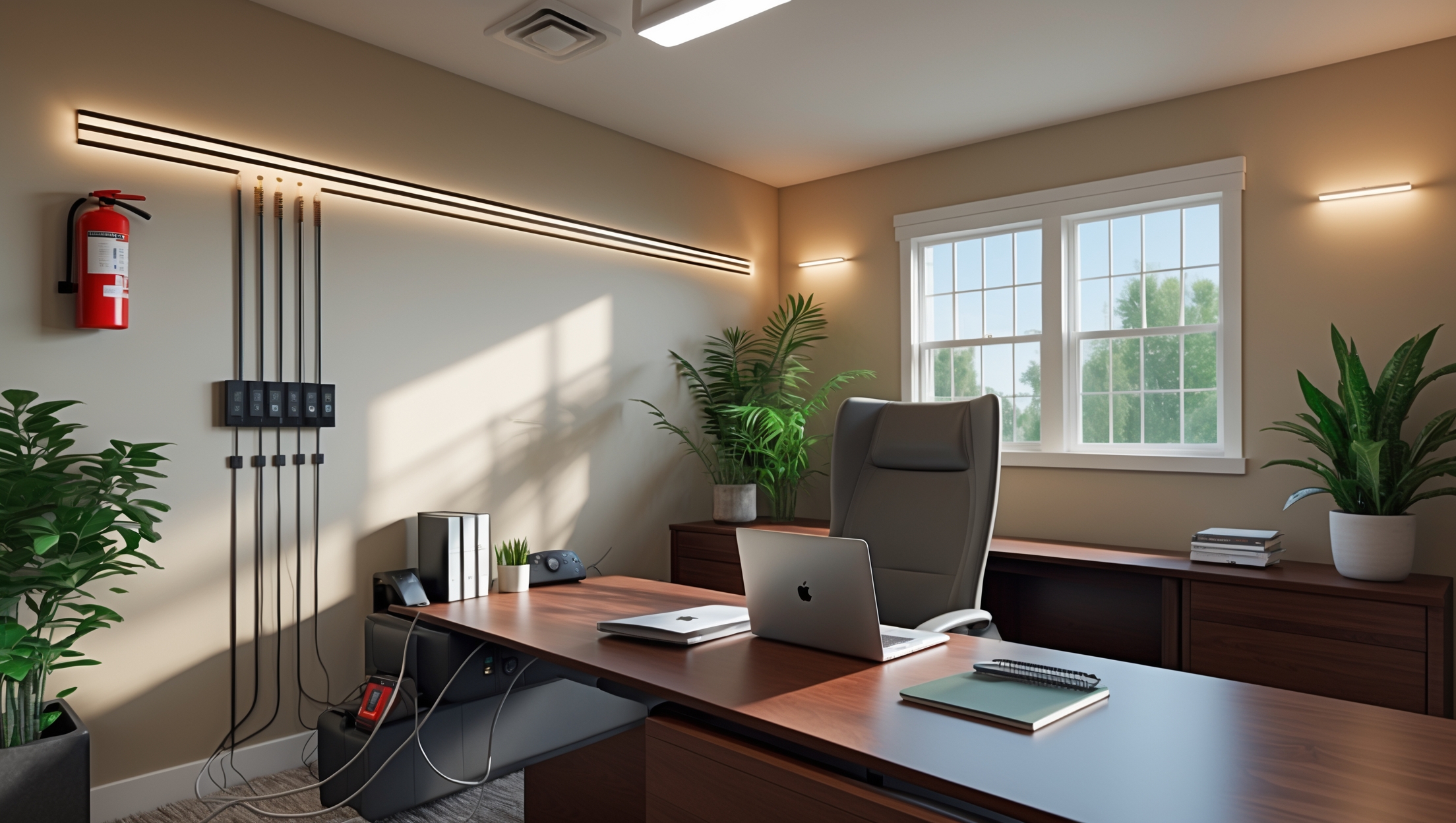
Introduction: Why Safety Matters in DIY Home Office Upgrades
As more people transition to remote or hybrid work, the home office has become a focal point of comfort, productivity, and personalization. Many homeowners take pride in upgrading their workspace themselves—installing new lighting, building custom desks, adding shelving, or rewiring for better connectivity. While these upgrades can transform any spare room or corner into a professional-grade environment, they also introduce risks that are often overlooked in the excitement of a DIY project. Electrical mishaps, improper furniture assembly, inadequate ventilation, and overlooked fire hazards can all compromise your safety and the longevity of your investment.
This comprehensive safety checklist is designed specifically for DIYers tackling home office upgrades. Whether you’re mounting monitors, running new outlets, or simply organizing cables, this guide will help you identify potential hazards, comply with relevant codes, and create a workspace that’s both beautiful and secure. Don’t let a preventable accident derail your productivity—let’s ensure your home office is as safe as it is inspiring.
1. Electrical Safety: Powering Your Productivity Safely
1.1 Assess Power Needs and Outlet Capacity
Start by listing all devices you plan to use—computers, monitors, printers, lamps, chargers, and more. Overloading a single outlet or circuit can cause outages or even fires. Check the amperage rating on your circuit (usually 15 or 20 amps in most homes) and calculate the total draw of your devices.
- Use a power strip with surge protection rather than daisy-chaining multiple strips.
- If you need more outlets, hire a licensed electrician or follow all local codes for DIY outlet installation.
1.2 Inspect and Upgrade Wiring
Older homes may have outdated wiring that can’t handle modern electronics. Before running new lines or installing additional outlets:
- Inspect for frayed wires, loose connections, or signs of overheating.
- Use only copper wire of the correct gauge for your intended load.
- Always turn off power at the breaker before working on any wiring.
1.3 Safe Cable Management
Messy cables are more than an eyesore—they’re a trip, tangle, and fire hazard. Tidy up with these steps:
- Bundle cables using Velcro ties or cable sleeves; avoid tight zip-ties that can damage insulation.
- Keep cords off walkways and away from rolling chairs.
- Use cord covers or raceways for cables that cross the floor.
1.4 GFCI Protection and Surge Suppression
If your office is near a bathroom, kitchen, or basement, you may need Ground Fault Circuit Interrupter (GFCI) outlets to prevent electric shock. Additionally, use surge protectors to defend sensitive equipment from voltage spikes.
2. Ergonomics and Physical Safety: Protect Your Body
2.1 Desk and Chair Assembly
Improperly assembled furniture can collapse or cause injury. Follow these steps:
- Lay out all hardware and follow manufacturer instructions precisely.
- Tighten fasteners fully, but avoid over-tightening which can strip threads.
- Test stability before placing expensive equipment or sitting down.
2.2 Monitor Placement and Mounting
Wall-mounting monitors or shelves? Use a stud finder to ensure a secure attachment. For desk setups:
- Keep the top of the monitor at or just below eye level.
- Position monitors an arm’s length away to reduce eye strain.
- Use VESA-compliant mounts and proper anchors for the wall type.
2.3 Cable Routing and Tripping Hazards
Tripping over cables or furniture is a leading cause of home office injuries. Strategies to prevent falls:
- Route cables along walls and under desks, not across walkways.
- Secure floor mats with non-slip pads.
- Keep the area around your desk clear of boxes and clutter.
2.4 Lighting Upgrades
Poor lighting can cause headaches and eye fatigue. When upgrading lighting:
- Use daylight-mimicking LED bulbs for task lighting.
- Install adjustable desk lamps for focused illumination.
- Ensure all fixtures are securely mounted and cords are safely out of the way.
3. Fire Safety: Prevention and Preparedness
3.1 Fire-Resistant Materials
When building custom desks or shelves, opt for fire-resistant or treated materials, especially if you’re using wood. Avoid running power strips or chargers beneath piles of paper or fabric, which can ignite from heat buildup.
3.2 Smoke and Carbon Monoxide Detectors
Install smoke detectors in or near your home office. If your office is in a basement or near a garage, add a carbon monoxide detector. Test detectors monthly and replace batteries annually.
3.3 Fire Extinguisher Placement
Keep a small, multipurpose (Class ABC) fire extinguisher within easy reach. Mount it on the wall, not on the floor or in a drawer, so it’s always accessible in an emergency. Review the PASS technique (Pull, Aim, Squeeze, Sweep) and ensure all household members know how to use it.
3.4 Safe Storage of Flammable Materials
If your upgrades involve paints, adhesives, or solvents, store them in a sealed, ventilated container away from heat sources and electrical outlets.
4. Ventilation and Air Quality: Breathing Easy
4.1 Assessing Ventilation Needs
Electronics generate heat, and paints or adhesives used in upgrades can off-gas harmful VOCs. Ensure your office has adequate airflow:
- Open windows or use exhaust fans during and after any work involving chemicals.
- If your office lacks windows, consider a portable air purifier with a HEPA filter.
4.2 Humidity and Mold Prevention
Basement or attic offices are prone to dampness and mold, which can harm health and electronics. Use a dehumidifier and monitor humidity levels (ideal: 30–50%). Immediately address any leaks or water intrusion.
4.3 Dust Control
DIY projects can create dust that clogs electronics and irritates lungs. Clean up with a HEPA vacuum and wipe surfaces with a damp cloth after sanding or drilling. Avoid using compressed air, which can blow dust into devices.
5. Compliance and Permits: Avoiding Legal Pitfalls
5.1 Know When Permits Are Required
Some upgrades—especially electrical work, adding outlets, or structural changes—may require permits. Check your local building codes before starting:
- Minor cosmetic changes (painting, furniture assembly) rarely need permits.
- Electrical modifications, plumbing, or structural alterations often do.
5.2 Documentation and Inspections
Keep receipts, plans, and permits on file. If an inspection is required, schedule it before closing up walls or ceilings. Passing inspections protects your insurance coverage and property value.
5.3 Insurance Notification
Major upgrades can impact your homeowner’s insurance. Notify your insurer if you add significant value or make changes to the electrical system—they may require documentation or an inspection.
6. Final Walkthrough: Comprehensive Safety Check
- Test all outlets and power strips for proper function.
- Verify that all furniture is stable and properly anchored.
- Double-check smoke and CO detectors.
- Ensure cables are managed and tripping hazards eliminated.
- Confirm fire extinguisher is accessible and charged.
- Ventilate the room and check air quality post-upgrade.
- Store all tools and leftover materials safely.
Conclusion: Building a Safer, Smarter Home Office
Upgrading your home office should be an exciting opportunity to boost productivity, comfort, and even property value. But with every DIY improvement comes a responsibility to prioritize safety at every step. By following the checklist outlined above, you’re not only protecting yourself and your household from preventable accidents, but also ensuring that your hard work stands the test of time.
From calculating electrical loads to mounting furniture securely, from improving air quality to prepping for emergencies, every detail matters. Taking the time to do things right—whether that means following local codes, using the right materials, or simply making sure cables aren’t a hazard—will pay off in peace of mind and years of safe, productive use.
Remember, if you ever feel uncertain about a step or encounter something beyond your expertise (especially with electrical or structural work), don’t hesitate to consult a licensed professional. Your safety is worth more than any shortcut. With careful planning, diligent execution, and this checklist as your guide, your DIY home office upgrade will be a smart, safe, and satisfying success.
When figuring out the total power needs for all my home office devices, is there an easy way to estimate the amperage if I don’t have all the manuals? I want to make sure I don’t accidentally overload the outlets.
You can estimate the amperage by checking each device’s label for its wattage, usually found on the back or bottom. Add up the total watts, then divide that number by your household voltage (typically 120V in the US) to get the total amperage. This helps you avoid overloading your outlets.
For older homes with possibly outdated wiring, are there specific warning signs to watch for before attempting any electrical upgrades in a home office setup?
Absolutely. Watch for signs like flickering lights, frequent blown fuses or tripped breakers, discolored or warm outlets and switches, and outlets that don’t accept three-prong plugs. These can all indicate outdated or unsafe wiring. If you notice any, consider consulting a licensed electrician before starting upgrades.
If I’m planning to add a few extra outlets for my home office but my house was built in the 1970s, should I be worried about the existing wiring not being able to handle it, and what signs should I specifically look out for?
Older homes like those from the 1970s often have wiring that may not meet current safety standards or handle modern electrical loads well. Watch for signs like warm outlets, frequent breaker trips, flickering lights, or outlets without a ground slot. If you notice any of these, or aren’t sure about your wiring’s capacity, consider consulting a licensed electrician before adding outlets.
When assessing the amperage needed for my equipment, is there a recommended buffer I should leave below the circuit’s maximum capacity to stay safe?
Yes, it’s wise to leave a safety margin when calculating amperage loads. For continuous loads, it’s generally recommended not to exceed 80% of a circuit’s rated capacity. This buffer helps prevent overheating and reduces the risk of tripped breakers or fire hazards.
The article mentions following local codes for DIY outlet installation—what’s the best way for a homeowner to verify which electrical codes apply in their area before starting a project?
To verify which electrical codes apply, contact your local building or permitting office—they can provide current regulations and any special requirements. You can also ask a licensed electrician in your area, as they’re familiar with local updates and standards for safe DIY electrical work.
If I’m planning to add more outlets myself, how do I determine if my current wiring can safely handle the upgrade, or if I really need to bring in an electrician?
You’ll need to check your circuit breaker’s capacity and see which circuits the new outlets will connect to. If those circuits already get close to their amperage limit, adding outlets could overload them. If you’re unsure how to assess this or deal with wiring codes, it’s best to consult a licensed electrician.
When calculating the total draw for my devices, does that include things like phone chargers and small desk fans, or just the main computer equipment?
You should include all devices that will be plugged in, even small ones like phone chargers and desk fans. Every device adds to the total electrical load, so factoring in everything ensures your setup stays safe and within circuit limits.
If I find old or frayed wiring while upgrading my home office, what are the safest immediate steps to take before I can get an electrician to look at it?
If you discover old or frayed wiring, it’s safest to immediately turn off power to that circuit at your breaker box to prevent any risk of electric shock or fire. Avoid touching or moving the wires and keep the area clear until a qualified electrician can assess and fix the issue.
When calculating the total draw for all my home office devices, is there an easy way to know if I’m close to overloading a 15-amp circuit, or should I get a device to measure the actual usage?
Estimating each device’s wattage and adding them up can give you a rough idea, but using a plug-in power meter will show your actual usage in real time. This is the safest way to ensure you’re not approaching your circuit’s 15-amp limit.
When listing my devices to assess power needs, is there an easy way to figure out the total draw, especially if some equipment doesn’t clearly list amperage on the label?
You can check each device’s wattage, usually listed on a label. If the label only shows watts, divide the watts by your voltage (for example, 120V in the US) to estimate amperage. For unclear labels, check the manual or search online using the model number for power specs.
You mention surge protection for power strips—are there specific features or certifications I should look for to make sure my equipment is really protected?
Look for power strips with built-in surge protection, not just basic extension cords. Check for certifications like UL 1449 or ETL, which ensure tested surge protection. Also, a higher joule rating means better surge absorption, so aim for 1000 joules or more for sensitive equipment.
When assessing the total draw for my devices, is there an easy way or tool you recommend for calculating amperage without risking overloading my existing circuit?
You can use a plug-in power meter to measure the actual amperage your devices draw when plugged in. Simply plug the meter into the outlet, then plug your device into the meter to get real-time readings. Add up the amperages to ensure your total stays below your circuit’s limit.
If I’m only adding a couple of new electronics to my workspace, would using a surge-protected power strip be enough, or should I still consider hiring an electrician?
A surge-protected power strip is usually fine for adding a few new electronics, as long as you don’t overload the strip or your wall outlet. However, if your workspace wiring is old or you notice frequent tripped breakers, it might still be wise to consult an electrician for safety.
Is there a cost-effective way to protect against power surges and fire risks without having to redo the entire electrical setup when upgrading a home office?
You can use quality surge protector power strips to guard your equipment against power surges without rewiring. For fire safety, add smoke detectors and make sure outlets aren’t overloaded. These are affordable steps that greatly improve protection while avoiding major electrical work.
If you notice frayed wires or loose connections during your inspection, what are the recommended next steps before moving forward with your home office upgrade?
If you find frayed wires or loose connections, stop your upgrade work and turn off the power to the affected area. Avoid using any damaged wiring, and contact a licensed electrician to repair or replace it before continuing with your home office setup.
If I’m upgrading my home office in an older house, how do I tell if the wiring is outdated enough that I need an electrician instead of DIY? Are there specific warning signs to look for?
Look for warning signs like frequent blown fuses, warm or discolored outlets, flickering lights, or outlets without grounding (two prongs only). If your wiring is cloth-insulated, uses knob-and-tube, or if you’re unsure of its age or condition, it’s safest to call a licensed electrician before making changes.
You mentioned electrical safety and checking for outdated wiring. Is there an easy way for someone with limited experience to tell if their wiring is too old for modern electronics before calling in a professional?
If you see fabric-covered wires, knob-and-tube wiring, or outlets without a grounding hole (just two slots), your wiring may be outdated. Also, frequent blown fuses or tripped breakers can signal issues. For a full assessment and peace of mind, a licensed electrician should still check the system.
The article mentions calculating the total electrical draw of devices. Is there a simple way or tool to help estimate this for common home office equipment so I don’t risk overloading a circuit?
A practical way is to check the wattage label on each device, then add up the numbers to get the total wattage. For convenience, many online calculators let you select common office equipment and automatically tally the load, making it easier to stay within your circuit’s safe limits.
If I’m upgrading the outlets in my home office myself, how can I be sure I’m following all local electrical codes, especially in an older house?
To ensure you follow local electrical codes, contact your city or county’s building department for specific requirements before starting. Older homes may have unique wiring, so consider consulting a licensed electrician for an inspection or advice. Also, always turn off power at the breaker and use code-compliant outlets and materials.
For someone living in an older apartment building, how can you tell if the existing wiring is actually safe enough for things like multiple monitors and a desktop PC, or should you always bring in an electrician?
In older apartments, frequent breaker trips, warm outlets, flickering lights, or buzzing sounds can mean unsafe wiring. For setups with several electronics, it’s safest to have a licensed electrician inspect the wiring, since older systems may not handle modern loads reliably.
For someone on a tight budget, what are the most important safety upgrades to prioritize before adding extra outlets or more complex changes to a home office?
Focus first on basic safety measures like checking that existing outlets aren’t overloaded, using surge protectors, and ensuring cords are in good condition without damage. Install smoke and carbon monoxide detectors if you don’t already have them. These essentials give solid protection before tackling bigger upgrades.
For people living in older houses, what are some affordable ways to confirm whether the existing outlets and circuits are safe for today’s electronics without doing a full rewiring?
You can use an inexpensive outlet tester to check for proper wiring and grounding in your outlets. Also, look for signs of wear like loose outlets or flickering lights. If unsure, consider hiring a licensed electrician for a quick inspection, which is much more affordable than a full rewiring.
I noticed you mentioned surge protection—are there specific types of power strips or brands you recommend that are best for sensitive electronics in a home office?
For sensitive electronics, look for surge protectors with a high joule rating (at least 2,000 joules) and features like EMI/RFI noise filtering. Brands like APC, Tripp Lite, and Belkin are often recommended for home offices. Make sure the model you choose is UL-listed for safety.
Is there a recommended way to estimate whether my current circuit can handle a new printer and a couple of extra monitors, or should I always defer to a professional for that calculation?
You can start by checking the wattage or amp ratings on your printer and monitors, then add those to the total load already on the circuit. If the combined load approaches 80% of your circuit’s rated capacity, it’s safest to consult a professional to avoid overloading and potential hazards.
For people living in older homes, how can we tell if our existing wiring is safe for modern electronics before starting DIY outlet installations? Are there specific warning signs to look for beyond frayed wires?
In older homes, look for warning signs like warm or discolored outlets, frequent tripped breakers, buzzing sounds, or a burning smell. Outlets with only two prongs or flickering lights can also indicate outdated wiring. Have a licensed electrician inspect before adding new outlets to ensure safety for modern devices.
You mentioned checking the amperage rating and possibly upgrading wiring—does that usually require a permit for a small room, or is it simple enough to handle myself if I follow local codes?
Upgrading wiring or changing amperage ratings often requires a permit, even for a small room. Local regulations vary, so it’s important to check with your city’s building department first. If you’re not experienced with electrical work, hiring a licensed electrician is usually safest.
If I want to run new outlets myself, what are some of the most common DIY mistakes to avoid to make sure I’m following code and staying safe?
When installing new outlets, avoid using undersized wire, overloading circuits, or failing to turn off the power at the breaker. Make sure all connections are tight, use the correct outlet type for the location, and always follow local electrical codes. If in doubt, consult a licensed electrician.
If I want to add more outlets for my office but my house is pretty old, how do I know whether the existing wiring can handle it or if I really need an electrician?
In older homes, wiring might not meet current safety standards or may be overloaded already. Look for signs like frequently tripped breakers, flickering lights, or warm outlets. If you notice any of these or aren’t sure of your wiring’s condition, it’s safest to consult a licensed electrician before adding outlets.
When checking circuit amperage and device draw, is there a quick formula or tool you recommend for calculating if I’m at risk of overloading my home office outlets?
To avoid overloading, use this formula: Total Device Amps = Total Watts ÷ Voltage (typically 120V in US). Add up the amperage of everything on a circuit and keep below 80% of the circuit’s rating (e.g., 12A max on a 15A circuit). A basic plug-in watt meter can help measure device draw easily.
For someone in an older house, how can I tell if my existing wiring is good enough for all my home office gear, or if I actually need to get it upgraded?
To assess if your wiring is sufficient, check for warning signs like frequent breaker trips, flickering lights, or warm outlets. If your home’s wiring is ungrounded or uses old knob-and-tube or aluminum wiring, it’s wise to have a licensed electrician inspect it before adding more office equipment.
When calculating the total power draw of my devices, is there an easy way to estimate this if I don’t know the wattage of everything I plan to plug in?
If you don’t know the exact wattage of each device, you can look for a label or sticker on the device or its power supply, which often lists watts or amps and volts. If you have amps and volts, multiply them together (watts = volts x amps) to estimate the wattage. For older or unknown items, search the average wattage online or use a plug-in power meter for accurate measurement.
When figuring out the total power draw for my home office, is there a simple way to calculate whether my existing 15 amp circuit can handle everything, or should I invest in a power meter for accuracy?
To get a general idea, you can add up the wattage of all devices you’ll use, then divide by 120 (volts) to estimate the amps drawn. If the total approaches or exceeds 15 amps, a power meter will give you more accurate, real-time measurements for safety.
You mentioned hiring an electrician for extra outlets, but if I want to try adding one myself, what local codes should I look into before starting the project?
Before adding an outlet yourself, check your local building and electrical codes for permit requirements, outlet spacing rules, wire types, and grounding standards. Some areas require a licensed electrician for new circuits, so contact your city or county building department to confirm what’s allowed and safe in your location.
For someone in an older house, how can I tell if my wiring is actually outdated or unsafe before I start running new outlets in my home office?
Check for signs like old-style fabric or rubber-insulated wiring, frequent blown fuses, flickering lights, or ungrounded (two-prong) outlets. If you notice any of these, or if your electrical panel looks outdated, it’s wise to have a licensed electrician inspect your wiring before installing new outlets.
When you mention calculating total device draw for a circuit, do you have a formula or an example for figuring out if I’m close to overloading a 15-amp outlet? I want to avoid tripping breakers as I add more equipment.
To estimate if you’re close to overloading a 15-amp outlet, add up the wattage of all connected devices and divide by 120 (volts). For a 15-amp circuit, keep the total under 1,440 watts (which is 80% of 1,800 watts for safety). Example: 2 computers (300W each) + lamp (100W) = 700W; 700W/120V = 5.8 amps, so you’re well within safe limits.
If I only have two outlets in my home office but need to plug in at least six devices, is using a surge-protected power strip enough, or should I really be considering getting new outlets installed by an electrician?
A surge-protected power strip is fine for low-power devices like computers and lamps, but if you’re regularly running several high-draw items (like heaters or printers), or if you notice the strip gets warm, it’s safer to have an electrician add outlets. This helps prevent overloaded circuits and potential hazards.
I’m planning to add some new outlets myself—are there specific local codes or common mistakes DIYers should watch out for during installation?
When adding outlets, always check your local building codes, as rules vary by area—permits may be required. Common mistakes include overloading circuits, improper grounding, using the wrong wire gauge, and not turning off the power before starting. If you’re unsure, consulting a licensed electrician is the safest route.
You mention using a power strip with surge protection instead of daisy-chaining—are there specific brands or features you recommend for home offices with a lot of sensitive equipment?
For home offices with lots of sensitive equipment, look for surge protectors with a high joule rating (at least 2000 joules), built-in overload protection, and widely spaced outlets. Brands like APC, Tripp Lite, and Belkin are known for reliable surge protectors. Also, consider units with indicator lights to confirm active protection.
If my home office is in an older house and I notice frayed wires or old outlets, is it recommended to upgrade all the wiring at once, or can I upgrade only certain parts where I plan to plug in my equipment?
If you notice frayed wires or old outlets, it’s safest to have a licensed electrician inspect your entire wiring system. While you can upgrade only certain parts, underlying issues may exist elsewhere, so a full assessment and possibly a complete upgrade is often recommended for safety and long-term reliability.
Besides surge protectors, are there any specific recommendations for organizing cables safely so they don’t become a tripping hazard or fire risk?
Absolutely! The article recommends using cable management solutions like cable trays, clips, or sleeves to keep wires bundled and out of walkways. Securing cables along walls or under desks with adhesive mounts also helps prevent tripping and reduces fire risk from tangled cords.
The checklist mentions checking the amperage rating of circuits—how do I actually find out what my current circuit can safely handle before plugging in more devices?
To find your circuit’s amperage rating, check your home’s electrical panel; each circuit breaker will be labeled with a number, like 15 or 20, which is its amp rating. Never exceed this number with the total amps used by all devices on that circuit, and consult an electrician if unsure.
If my home office is in an older house, what are warning signs I should watch for in the existing wiring before I start any upgrades myself?
Be alert for signs like flickering lights, buzzing outlets, burning smells, warm or discolored wall plates, and frequent circuit breaker trips. Outlets with only two slots (no ground) or visible old wiring are also red flags. If you spot any of these, it’s best to consult a licensed electrician before proceeding with upgrades.
For older homes with potentially outdated wiring, how can a DIYer tell if their electrical system needs a full upgrade before adding more outlets, or if just minor improvements will do?
Check for warning signs like frequently tripped breakers, flickering lights, or outlets that are warm to the touch. If you find old knob-and-tube or aluminum wiring, or your panel is under 100 amps, a full upgrade may be needed. When in doubt, consult a licensed electrician before adding outlets.
The article mentions hiring a licensed electrician for new outlet installation—are there specific safety codes or permits I should be aware of if I attempt this myself in an older home?
If you install new outlets yourself, you’ll need to follow the National Electrical Code (NEC) and any local building codes, which may require a permit and inspection. Older homes may have outdated wiring, so check for issues like ungrounded circuits or knob-and-tube wiring. Always turn off power at the breaker before starting work.
When calculating the total draw of all my devices for outlet capacity, how do I account for items that have varying power usage like laptops or adjustable lamps?
For devices with varying power usage, use the maximum wattage listed on their labels or in their manuals. This ensures you don’t exceed outlet capacity, even if the device occasionally draws less. For laptops, check the power adapter rating; for adjustable lamps, use the highest bulb wattage listed.
When calculating the total draw of devices for my office, do you have tips or an easy formula to make sure I’m not overloading the circuit? I’m worried about tripping breakers or causing fire hazards.
To avoid overloading your circuit, add up the wattage of all devices you plan to use at once. Divide the total wattage by your circuit voltage (usually 120V in the US) to get the amperage. Make sure this number doesn’t exceed 80% of your breaker’s rating for continuous loads—for example, keep it under 12 amps for a 15-amp breaker.
When calculating the total power draw for my home office equipment, is there an easy way to figure out if I’m close to overloading a 15 amp circuit? I have multiple monitors, a desktop, and some chargers.
To estimate your load, add up the wattage of each device in your office and divide the total by 120 volts to get amps. Try to keep the total under 12 amps (about 1,440 watts) for a 15 amp circuit, leaving a safety margin. If you’re unsure, a plug-in energy monitor can measure your actual usage.
When figuring out how many devices can go on a single circuit, is there an easy way to calculate the total draw if some of my equipment doesn’t list the amps on the label?
If your equipment doesn’t list amps, check for a wattage rating instead—divide watts by the circuit voltage (usually 120V in the US) to estimate amps. Add up the amps for all devices, and keep the total below 80% of your circuit’s rated capacity for safety.
Is it safe to use extension cords temporarily if I can’t upgrade outlets right away, or does that increase the risk of electrical issues in the long run?
Using extension cords temporarily is generally safe if you choose cords that match your equipment’s power needs and avoid overloading them. However, relying on extension cords long-term can increase the risk of electrical hazards, so it’s important to upgrade your outlets as soon as possible.
I have an older house and most of my outlets are the two-prong kind. Is it safe to use adapters for my computers and monitors, or should I really invest in updating all the wiring?
Using adapters with two-prong outlets is not the safest option, especially for sensitive electronics like computers and monitors. It’s much safer to update your wiring to include grounded, three-prong outlets. This helps protect your equipment from electrical faults and reduces the risk of shocks or fire.
When figuring out the total amperage draw for all my office devices, do you have any tips for calculating this accurately or common mistakes to avoid, especially if I use power strips with surge protection?
To calculate total amperage, check each device’s label for the amps or watts used, then add them up (if listed in watts, divide by your local voltage). Don’t forget to include devices plugged into power strips. Common mistakes include missing hidden devices or exceeding the strip’s rating, which can cause overheating.
If I’m considering adding outlets myself, how do I know when it’s safe for a DIY approach versus definitely needing a professional electrician? My house is about 40 years old.
With a 40-year-old house, hire a professional if you’re unsure about your wiring’s condition, your panel’s capacity, or local code requirements. DIY might be safe for simple outlet replacements, but adding new outlets often requires permits or updated wiring, so consult an electrician if you’re expanding circuits or see signs of old or damaged wiring.
My house was built in the 70s and I’m worried about outdated wiring. Are there specific signs I should look for before starting any DIY electrical upgrades in my home office?
Yes, there are some clear signs to watch for. Look out for frequently tripped breakers, buzzing outlets or switches, flickering lights, warm or discolored wall plates, and outlets with only two prongs. If you notice any of these, consider having a licensed electrician inspect the wiring before starting your project.
Is there a recommended way to organize all the cables and power strips under the desk to reduce fire risks without spending a ton of money on special products?
You can use inexpensive solutions like zip ties or Velcro straps to bundle cables neatly and keep them off the floor. Mount power strips to the underside of your desk with screws or strong double-sided tape. Make sure none of the cables are pinched or overloaded, and regularly check for fraying or heat buildup.
For someone on a budget, is it okay to use extension cords temporarily, or should I prioritize hiring an electrician right away when upgrading my home office?
Using extension cords temporarily is generally fine if they’re in good condition and not overloaded. However, for long-term use or if you need more outlets for your home office, it’s safer to plan for proper wiring by a qualified electrician when your budget allows.
If my home office is in an older house and I notice some outlets getting warm after plugging in my computer and monitor, what are the first steps I should take before doing any upgrades?
If your outlets feel warm, unplug your devices right away and avoid using those outlets until they’ve been checked. This could signal an electrical issue. It’s best to contact a licensed electrician to inspect the wiring before making any upgrades or doing further work in your home office.
If my home office is in an older house and I notice some of the outlets are warm to the touch, should I stop using them immediately, or is there a short-term fix before getting an electrician involved?
If your outlets feel warm, it’s safest to stop using them right away. Warm outlets can signal wiring problems or overloads that might lead to fire risks. Hold off on using those outlets until a licensed electrician can inspect and fix the issue.
For someone who’s not super handy, what should I watch for when installing a surge protector or power strip to make sure I’m not creating more hazards?
When installing a surge protector or power strip, make sure not to overload it by plugging in too many devices. Avoid daisy-chaining multiple power strips together, and always use the strip on a dry, stable surface. Check that the outlet isn’t loose and that cords aren’t pinched or running under rugs.
Could you clarify what signs to look for in older wiring before starting any upgrades? I have a house from the 1970s and I’m concerned about whether the wiring can handle extra electronics.
In a 1970s house, check for cracked or brittle insulation, discolored outlets or switches, frequent blown fuses, and any wiring that feels warm to the touch. Aluminum wiring was also common in that era, which may need special connectors. If you spot any of these, consult a licensed electrician before proceeding with upgrades.
What’s the safest way to add extra outlets in a rented apartment where I can’t make permanent electrical changes? Are there temporary solutions that still provide surge protection?
In a rented apartment, use high-quality power strips with built-in surge protection to add extra outlets without permanent changes. Make sure the power strip is UL-listed and avoid overloading it. You can also use plug-in surge protectors that fit directly into existing wall outlets for temporary and safe expansion.
If I want to upgrade my lighting and add more outlets at the same time, are there any safety steps I should take first, especially regarding circuit capacity and avoiding electrical overload?
Before upgrading lighting and adding outlets, turn off power at the breaker box and use a voltage tester to confirm circuits are dead. Check your panel’s capacity to ensure it can handle extra load, and avoid overloading circuits by calculating total wattage. If unsure, consult a licensed electrician for safety.
If my home office is in a really old house with knob-and-tube wiring, would upgrading outlets myself be safe if I follow local codes, or is it always best to call a professional in these cases?
With knob-and-tube wiring, even if you follow local codes, working with this older system can be risky due to its age and potential hidden issues. It’s strongly recommended to have a licensed electrician handle any upgrades to ensure safety and avoid possible hazards.
When calculating the total draw of my devices for my home office, how do I find out the amperage rating if my circuit breaker panel isn’t labeled clearly?
You can usually find the amperage rating printed or stamped on the breaker switch itself. It’s often a number followed by ‘A’ (like 15A or 20A). If it’s not visible, try carefully wiping the breaker to reveal any faded markings. If still unclear, consult your home’s electrical documentation or consider asking a licensed electrician for help.
When figuring out the total power draw for all my home office devices, is there an easy way to calculate whether I’m close to overloading a standard 15-amp circuit?
Add up the wattage of all your devices, then divide the total by 120 (the standard voltage for most US circuits) to get the number of amps. If the result is near or above 15, you’re at risk of overloading the circuit. Try to keep your total below 80% (about 12 amps) for safety.
You talk about inspecting for frayed wires and loose connections—are there any signs besides obvious damage that might indicate the wiring isn’t up to handling office equipment?
Yes, besides visible damage, signs like frequent circuit breaker trips, flickering lights, warm outlets or switches, and a faint burning smell can also suggest your wiring may be overloaded or faulty. If you notice these, it’s a good idea to consult a qualified electrician.
You mention hiring a licensed electrician for adding outlets—do you have any tips for finding someone reputable, or what questions I should ask to make sure the job will be done safely?
Ask for proof of their license and insurance, and check references or reviews from past clients. It helps to get a detailed written estimate and confirm they’ll handle necessary permits. Also, ask about their experience with similar home office projects to make sure they understand your needs.
You mention calculating the total draw of devices to avoid overloading circuits. Is there a straightforward way for DIYers to figure out if their current setup is already pushing the circuit limits, or is it safer to upgrade by default?
You can check if you’re near your circuit’s limit by adding up the wattage of all devices plugged into it and dividing by your home’s voltage (usually 120V in the US). If the total amps are close to or above the circuit breaker rating (often 15 or 20 amps), it’s best to reduce the load or upgrade the circuit.
For DIYers in older houses, what are some clear signs that the existing wiring may not be safe for adding more office electronics, short of opening up the walls?
Look out for signs like flickering lights, frequent blown fuses or tripped breakers, warm or discolored outlets and switches, buzzing sounds from outlets, or outlets that don’t securely hold plugs. These can indicate wiring problems and suggest your system may not safely handle extra electronics.
You mention using power strips with surge protection—are there specific brands or features to look for when choosing one for a home office setup full of electronics?
Look for surge protectors with a high joule rating (at least 1,000+ joules is good for sensitive electronics) and built-in indicator lights showing active protection. Brands like APC, Belkin, and Tripp Lite are well-regarded. Also, consider models with spaced outlets for bulky chargers and built-in USB ports if you charge devices often.
What’s the best way to tell if my older home’s wiring is too outdated for all my new work equipment, and what should I look for specifically?
To assess if your home’s wiring can handle modern work equipment, look for signs like frequent blown fuses, tripped breakers, flickering lights, or warm outlets. Check if outlets are two-pronged (ungrounded) or if wires are cloth-covered. If you notice these, consult a licensed electrician for a safety inspection before adding more devices.
I’m on a tight budget—are there specific safety upgrades you’d prioritize for preventing electrical mishaps when setting up a DIY home office, especially in an older house?
Absolutely—focus on using surge protectors for your equipment, avoid overloading outlets, and check that all wires and plugs are in good condition. If outlets are old, installing outlet covers or upgrading to grounded outlets is wise. Test your smoke detector and make sure you have easy access to a fire extinguisher.
When assessing power needs, how do I accurately calculate the combined draw of multiple devices, and are there affordable tools or meters you’d recommend for small business owners?
To calculate combined power draw, check each device’s wattage label and sum the values. For more precision, use a plug-in power meter to measure actual consumption. Affordable devices like the Kill A Watt meter are popular among small business owners and provide real-time readings when you plug devices into them.
If my home office is in an older house and I see some of the wires look a bit worn, is it okay to just cover them up, or should I replace them entirely before setting up more devices?
It’s best to replace any worn or damaged wires before adding more devices. Covering them up doesn’t fix the underlying problem and could create a fire hazard. For safety, consider having a licensed electrician inspect and update the wiring if needed.
When calculating device power draw to avoid overloading an outlet, do you have tips for figuring out the total amps, especially for multi-monitor setups and charging stations?
To figure out total amps, add up the wattage of all devices plugged in, then divide by your outlet voltage (usually 120V in the US). For example, if your monitors and chargers total 600 watts, 600 divided by 120 is 5 amps. Make sure the total doesn’t exceed your circuit’s amp rating, typically 15 or 20 amps.
Is there a safe way to upgrade outlets myself if I need more for my home office, or should I always hire an electrician? The article mentions following local codes but I’m not sure where to find those.
If you have electrical experience and feel confident, you can replace existing outlets, but adding new ones or circuits is best left to a licensed electrician for safety and code compliance. Local codes are usually available on your city or county government website or at the permit office.
If my home is on the older side and might have outdated wiring, how can I tell if it’s safe to add electronics for a home office, or should I automatically budget for a full electrical upgrade?
If your home has older wiring, it’s smart to have a licensed electrician inspect it before adding new electronics. They can check for hazards like outdated breakers or insufficient capacity. A full upgrade may not always be needed, but an inspection will clarify if smaller updates can make your setup safe.
When listing devices and calculating outlet load as suggested, how do I estimate the power draw of items without clear labels or manuals? Are there tools you recommend for measuring this safely?
If a device doesn’t have a clear label or manual, you can use a plug-in electricity usage monitor to measure its power draw directly. These small meters plug into your outlet, then your device plugs into the meter. They display real-time wattage, so you get an accurate reading without guessing.
For older homes with potentially outdated wiring, what are some basic signs I should look for before starting any upgrades in my home office?
Watch for signs like frequent blown fuses, flickering lights, warm or discolored outlets, buzzing sounds from switches, or outlets without grounding holes. If you notice any of these, it’s a good idea to have a licensed electrician inspect your wiring before beginning your home office upgrades.
For older homes with questionable wiring, are there any specific signs besides frayed wires or loose connections that DIYers should watch for before attempting upgrades?
Absolutely, there are other warning signs to look for. Watch for frequent blown fuses or tripped breakers, discolored or warm outlets and switches, buzzing sounds from electrical panels, and outlets that don’t hold plugs securely. These can indicate underlying wiring problems that should be checked by a professional before you start any upgrades.
When organizing cables and power strips for multiple monitors and electronics, are there specific safety codes or best practices I should watch out for to avoid overloading outlets?
Yes, you should avoid plugging too many devices into a single outlet or power strip, as this can cause overheating and fire risks. Use power strips with built-in surge protection, and make sure the total wattage of all connected devices doesn’t exceed the strip’s rating. Neatly route cables to prevent tripping hazards and never daisy-chain multiple power strips together.
When figuring out the total power draw for my devices, how do I know if my home office circuit is getting too close to the 15 or 20 amp limit? Is there an easy way to check without special tools?
To estimate your circuit load, add up the wattage of all devices plugged into the same circuit, then divide by your home’s voltage (usually 120V in the US). If the total amps approach 80% of 15 or 20 amps (12A or 16A), you’re near the safe limit. If unsure, try not to use all devices simultaneously or consult an electrician.
For someone on a tight budget, are there affordable ways to safely increase outlet capacity without hiring an electrician, or is that always risky?
You can safely increase outlet capacity on a budget by using power strips with built-in surge protection, as long as you don’t overload them and avoid daisy-chaining. Avoid using cheap multi-plug adapters and never attempt electrical work inside outlets without an electrician. Always follow safety labels and manufacturer instructions.
If my house has older wiring but I’m only adding one or two extra devices, how can I know if it’s really necessary to upgrade the wiring or just use a surge protector?
If your wiring is older, adding a couple of devices might seem minor, but age and condition matter most. Look for warning signs like frequent blown fuses, flickering lights, or warm outlets. A surge protector helps with power spikes, but it doesn’t fix underlying wiring issues. For peace of mind, have an electrician assess if your wiring can safely handle even small additions.
I have a lot of devices for my remote job and end up using several power strips. How do I figure out when I’m close to overloading a circuit, and is it ever safe to add more outlets myself?
To avoid overloading a circuit, check the rating on your breaker (usually 15 or 20 amps) and add up the wattage of all devices in use; keep the total under about 80% of the circuit’s max capacity. Adding more outlets yourself is not recommended unless you’re experienced—improper wiring can be a serious safety hazard. Consider hiring a licensed electrician.
Is there a practical way to estimate my total device power draw without specialized equipment, especially if I’m running a lot of chargers and monitors from just a couple outlets?
You can estimate your total power draw by checking the wattage ratings on each device, usually found on the label or in the manual. Add up the wattage for all devices plugged into the outlets. This will give you a rough total, which helps you avoid overloading the circuit.
For someone on a budget, are there affordable but reliable surge protectors you recommend, and what features should I prioritize when choosing one for a home office setup?
There are several affordable surge protectors from reputable brands like Belkin and APC. Look for models offering at least 600 joules of protection, multiple outlets, and built-in indicator lights to show they’re still working. Extra features like USB ports can be helpful if you have devices that need charging.
If I’m considering installing extra outlets myself, how can I make sure I’m fully complying with local electrical codes, especially in an older house?
To ensure compliance with local electrical codes, contact your city or county’s building department for specific requirements. Older homes may have unique wiring issues, so consider hiring a licensed electrician for an inspection or guidance. Always use outlet types rated for your house and follow permit and inspection rules if DIY work is allowed.
If my home office is in an older part of the house and I notice the outlets get warm, does that automatically mean the wiring needs to be upgraded, or could it be something less serious?
Warm outlets can indicate a potential wiring issue, but it’s not always a sign that a full upgrade is needed. Sometimes, it might be due to overloaded circuits or loose connections. It’s safest to have a qualified electrician inspect the outlets to identify the exact cause and recommend the right fix.
I want to add more monitors and a printer to my office, but I’m not sure how to calculate if I’m overloading a circuit. Is there a simple way to figure out the total amperage for my setup?
Yes, you can calculate total amperage by adding up the wattage of all your devices and dividing by your circuit voltage (usually 120 volts). For example, if your equipment totals 900 watts, 900 divided by 120 equals 7.5 amps. Keep your total below 80% of your circuit’s capacity for safety.
If I inspect my older home’s wiring and find frayed wires, what’s the safest immediate step to take while I wait to consult a licensed electrician?
If you find frayed wires, immediately turn off power to the affected circuit at your breaker box to prevent electrical hazards. Avoid touching or using outlets or switches on that circuit until an electrician has inspected and repaired the wiring.
For someone in an older house, how can you tell if the wiring really needs to be upgraded before adding devices to a home office? Are there signs to look out for that are easy to check?
In an older house, warning signs include frequent blown fuses, tripped breakers, flickering lights, warm or discolored outlets, and buzzing sounds from outlets or switches. If you notice any of these, or your outlets don’t have three prongs, it’s wise to have an electrician inspect the wiring before adding more devices.
If I’m not sure whether my home’s wiring is outdated, what are some signs I should look for before starting any electrical upgrades in my office?
Look for signs like frequently tripped breakers, flickering lights, discolored outlets or switches, buzzing noises, or two-prong outlets instead of grounded three-prong ones. If you notice any of these, it’s best to have a licensed electrician inspect your wiring before starting any upgrades.
For those on a tight budget, do you have suggestions for prioritizing which safety upgrades should come first when setting up a DIY home office?
When on a budget, start with the most critical safety upgrades: ensure your electrical setup is safe (no overloaded power strips), secure loose cables to prevent tripping, and install basic smoke and carbon monoxide detectors. These steps address the biggest risks and can often be done without major expenses.
How do I figure out if my home’s wiring is too old to handle the extra devices in my office, and what are the warning signs I should look for before upgrading my outlets?
To assess if your wiring is outdated, look for warning signs like frequent blown fuses, tripped breakers, flickering lights, warm or discolored outlets, or buzzing sounds. If your home’s wiring is over 30 years old and you’re adding more devices, it’s wise to have a licensed electrician inspect your system before upgrading outlets.
If I’m not sure about the amperage of my home office circuit, is there a safe way to check it myself before plugging in all my devices?
To safely check your circuit amperage, look for the number printed on your circuit breaker switch—it usually says 15 or 20 amps. If you’re unsure or the label isn’t clear, consider using a circuit tester or consult a licensed electrician to avoid any risks.
If I have an older home and I’m not sure whether the wiring is up to date, what’s the safest way to check this before starting any DIY office upgrades?
It’s wise to be cautious with older wiring. The safest approach is to hire a licensed electrician to inspect your electrical system. They can identify outdated or unsafe wiring and advise on any necessary upgrades before you begin your DIY office projects.
When figuring out the total power draw for my devices, is there an easy way to measure it if the amps or watts aren’t listed on the plug? I want to avoid accidentally overloading my outlets.
You can use a plug-in power meter, which you simply plug into your outlet and then connect your device to it. It will display the actual wattage being used. This makes it easy to see how much power each device is drawing, even if it’s not labeled.
When figuring out the total power draw for all my devices, do I need to factor in occasional devices like a shredder or just the electronics that will be on all the time?
For your main power needs, focus on electronics that are always on or used regularly. Occasional devices like a shredder typically don’t need to be included unless you plan to run them simultaneously with everything else.
You mention hiring an electrician for additional outlets, but are there safer DIY options if I just need a couple more plugs for my equipment?
If you only need a few extra plugs, a high-quality power strip or surge protector is a safe DIY option. Make sure not to overload it and always check the device’s wattage rating. Avoid daisy-chaining power strips, and if you need permanent new outlets, it’s best to consult a licensed electrician.
I’m planning to run extra outlets in my home office, but I’m not sure how to tell if my current wiring is actually safe for modern electronics. Are there specific warning signs I should look for before starting any upgrades?
Look out for signs like flickering lights, outlets that feel warm, buzzing sounds from switches, tripped breakers, or any visible damage to wires or outlets. If your wiring is cloth-covered or you see two-prong outlets, your system may be outdated. If you notice any of these issues, consult a licensed electrician before making upgrades.
In your checklist, you suggest either hiring an electrician or installing outlets yourself if more are needed. For someone comfortable with basic wiring, what specific local codes or common mistakes should I watch out for when adding outlets?
When adding outlets, check your local building codes for requirements on outlet spacing, box fill limits, grounding, and GFCI placement, especially near water sources. Common mistakes include overloading circuits, failing to turn off power at the panel, improper wire gauge, and not using approved electrical boxes. Always secure permits if required in your area.
Does upgrading outlets or adding surge protectors make a big difference in an older house, or would I need to look at rewiring the space altogether for using modern electronics?
Upgrading outlets and adding surge protectors can improve safety and help protect modern devices in an older house. However, if your wiring is outdated or can’t handle increased electrical loads, a full rewiring may be needed for reliable, long-term use of modern electronics. Consider having an electrician assess your current wiring.
When adding extra power strips for all my devices, how do I know if I’m at risk of overloading the circuit? Do you have a simple way to calculate the total electrical draw?
To avoid overloading a circuit, add up the wattage of all devices you plan to plug in. Divide the total by your home’s voltage (usually 120V in the US) to get the amps. Make sure this total is less than your circuit breaker’s rated amps, typically 15 or 20.
For older homes with possibly outdated wiring, are there any signs or symptoms that would tell me I need a full electrical upgrade before adding more tech to my home office?
Yes, there are signs to watch for: frequent breaker trips, flickering lights, discolored outlets, a burning smell, buzzing sounds, or outlets that feel warm. If you notice any of these, it’s wise to have a licensed electrician inspect your system before adding new devices.
If my house is older and I find some wiring that looks frayed, what’s the safest immediate action I can take before I’m able to get a professional in to inspect or repair it?
If you discover frayed wiring, turn off power to that area at your circuit breaker right away to prevent any risk of fire or shock. Avoid touching or trying to fix the wiring yourself, and keep the area clear until an electrician can inspect and repair it.
When checking the amperage rating on my circuit, do I need to consider things like lights and ceiling fans in the same room along with my office equipment, or just the devices plugged into outlets?
You should include all electrical loads on the circuit, not just the devices plugged into outlets. This means you need to factor in lights, ceiling fans, and any other fixtures connected to the same circuit when checking the amperage rating for safety.
If my home office is in an older house and I notice some of the wiring looks worn, how can I tell if it’s actually unsafe or just looks old? Is there a rule of thumb for when I need to call in a professional?
If you see frayed insulation, exposed wires, or notice outlets that spark, feel warm, or smell odd, those are signs the wiring may be unsafe. Even if the wires just look old, it’s best to have a licensed electrician inspect them, especially in older homes. When in doubt, always prioritize safety and call a professional.
When inspecting wiring for signs of overheating or damage like the article suggests, are there specific warning signs I should watch for if I live in an older house?
In older homes, check for discolored or charred outlets, flickering lights, a burning smell near wiring, brittle insulation, or buzzing sounds from switches. These can be warning signs of overheating or damaged wiring and should be inspected by a qualified electrician as soon as possible.
For someone on a budget who wants to add extra outlets, what are some safe DIY steps to follow before deciding if an electrician is really necessary?
Before adding extra outlets yourself, first turn off power at the circuit breaker and use a voltage tester to confirm there’s no electricity. Plan your outlet locations and check your local electrical codes. If your wiring is old, circuits are overloaded, or you’re unsure about connections, it’s safest to consult an electrician.
If I follow the checklist for outlet capacity and still experience tripped breakers, what troubleshooting steps do you recommend before calling in an electrician?
First, unplug some devices to see if a specific item is causing the trips. Check for any loose or damaged cords or outlets. Try resetting the breaker. If it keeps tripping, avoid using that circuit and consider labeling which devices were plugged in before calling an electrician.
When checking outlet capacity for all my home office devices, is there a quick way to estimate the total power draw without looking up every single wattage?
You can estimate total power draw by checking the amps or watts listed on each device’s label, often found near the power cord. If you can’t find exact numbers, most computers use 150–300 watts, monitors around 30–50 watts, and small electronics under 20 watts each. Add these estimates together to get a reasonable total.
The checklist mentions surge protectors for all my devices—do I need a separate one for my computer setup and a different one for printers, or can everything go on a single strip?
You can use a single surge protector for your computer setup and printer as long as the combined wattage doesn’t exceed the protector’s rating and there are enough outlets. Just make sure not to overload it, and avoid daisy-chaining surge protectors for safety.
Can you recommend the safest way to organize and run cables behind a desk, especially if I need to move equipment around often without risking frayed wires or loose connections?
To safely organize cables behind your desk, use cable sleeves or channels to bundle them and keep them off the floor. Employ cable clips or Velcro straps to secure wires loosely, allowing easy adjustments. Make sure cables have some slack to prevent tension or fraying when you move equipment, and periodically check for wear or loose connections.
If I’m not sure whether my home’s wiring is up to date, what are some signs I should look for before attempting any DIY upgrades in my home office?
Look for signs like frequently blown fuses, tripped breakers, buzzing outlets, flickering lights, or outlets that feel warm. If your home still has two-prong outlets or old knob-and-tube wiring, that’s another indicator. If you notice any of these, consider having a licensed electrician inspect your wiring before starting upgrades.
How can I tell if my home’s existing wiring is truly adequate for modern devices before I start any upgrades? Are there certain warning signs that mean I should call in a pro even if everything seems to work?
To check if your wiring is adequate, look for signs like frequently tripped breakers, flickering lights, warm outlets, or buzzing sounds. Even if everything seems fine, if your wiring is old (cloth-covered or ungrounded), or you plan to add heavy equipment, it’s smart to have a licensed electrician inspect it for safety and code compliance.
The checklist mentions avoiding overloading circuits, but how do I actually calculate the total power draw of all my devices? Is there an easy way for beginners to do this?
To calculate total power draw, add up the wattage listed on each device (check labels or manuals). For example, a 60-watt lamp plus a 100-watt monitor equals 160 watts. Make sure the total is below your circuit’s wattage limit, which you can find by multiplying the circuit’s amperage (printed on the breaker, usually 15 or 20 amps) by 120 volts.
What’s the safest way to calculate the total power draw of all my devices, and are there any affordable surge protectors you recommend for small businesses on a tight budget?
To calculate your total power draw, check each device’s label for its wattage, add them together, and make sure the total is below your circuit’s limit. For affordable surge protectors, brands like Belkin and APC offer budget models with good safety ratings suitable for small businesses.
If my home office is in an older house and I notice the outlets only have two prongs, is it safe to use adapters or should I be rewiring them before plugging in my work equipment?
Using adapters with two-prong outlets in an older home isn’t the safest option, especially for sensitive work equipment. For better protection against electrical hazards and to ensure proper grounding, it’s best to have the outlets rewired by a licensed electrician.
For older homes, what signs should I look for to know if my wiring is actually outdated or unsafe before I start adding new outlets or equipment to my home office?
Watch for signs like frequent blown fuses, tripped breakers, flickering lights, discolored outlets, or buzzing sounds from switches. Also, be cautious if you see cloth-covered wires or outlets without grounding holes. If you notice any of these, consider having a licensed electrician inspect your wiring before adding new equipment.
I noticed you mentioned using a power strip with surge protection rather than daisy-chaining—does daisy-chaining increase the risk of fire, and if so, why?
Yes, daisy-chaining power strips can increase the risk of fire because it may overload the electrical circuit. Each additional strip draws more power, which can lead to overheating and potentially cause a fire. Always plug power strips directly into wall outlets and avoid connecting them to one another.
When calculating the total power draw for my home office equipment, is there an easy way to figure out if I’m close to overloading my circuit, or should I just add the wattages together?
You should add up the wattages of all devices you plan to use at the same time. Then, divide that total by your circuit voltage (usually 120V in the US) to get the total current in amps. Compare this to your circuit breaker rating—aim to stay under 80% of the breaker’s limit for safety.
If we decide to run new outlets ourselves instead of hiring a professional, can you clarify which specific local codes or permits we should double-check to stay compliant and safe?
You’ll want to check your local building department for specific electrical codes and permit requirements, as these rules vary by city and county. Common things to confirm include outlet height, wiring type, breaker compatibility, and proper GFCI use. Always ensure permits are obtained if required before starting your project.
If my home office is in an older house and I’m not sure about the state of the wiring, what’s the safest first step to take before I start plugging in new electronics or adding outlets?
Before using new electronics or adding outlets in an older home, have a licensed electrician inspect your wiring and outlets. This will help ensure everything meets current safety standards and can handle your devices safely, reducing the risk of electrical hazards.
When calculating the total power draw for my home office equipment, should I include devices that aren’t always turned on, like a printer or backup drive, or just the ones I’ll use at the same time?
You only need to include devices that will be running at the same time when calculating your total power draw. Devices like printers or backup drives that are usually off can be excluded unless you expect to use them alongside your other equipment.
For older homes with potentially outdated wiring, are there affordable DIY tools or techniques you recommend to safely inspect for frayed wires or loose connections before calling an electrician?
You can use a basic non-contact voltage tester and a flashlight to check for exposed or frayed wires at outlets and switches. Also, look for discoloration or a burning smell as signs of trouble. However, if you find anything suspicious, it’s safest to turn off the power to that area and consult a licensed electrician.
Are there affordable ways to upgrade old home office wiring for more devices, or is a complete rewiring always required in older houses?
You don’t always need a complete rewiring to handle more devices. Often, adding new circuits, upgrading outlets to grounded versions, or installing high-quality power strips can help. However, if your wiring is very outdated or unsafe (like knob-and-tube), a full upgrade may be the safest choice.
For someone in an older house, how can you tell if rewiring is something you can safely do yourself versus when it’s time to call in a professional electrician?
If your house has outdated wiring like knob-and-tube or cloth-insulated wires, or if you’re unsure about your electrical panel’s capacity, it’s safer to call a professional. DIY rewiring is only suitable for minor tasks and if you have solid electrical knowledge. For major rewiring, especially in an older home, bring in an electrician to ensure safety and code compliance.
You mention using power strips with surge protection instead of daisy-chaining. Are there risks if I use a heavy-duty extension cord temporarily until I can get more outlets installed?
Using a heavy-duty extension cord temporarily is generally safer than daisy-chaining power strips, but it’s important to ensure the cord is rated for the load you’re plugging into it. Avoid overloading the cord and never run it under carpets or rugs, as this can cause overheating. Plan to switch to properly installed outlets as soon as you can.
When figuring out how many devices can safely run in a home office, how do I actually calculate the total power draw? Is there a simple tool or method for this that works for someone not super tech-savvy?
To calculate total power draw, check each device’s wattage label (usually found on the power adapter or device itself), and add up all the wattages. For non-tech-savvy users, a simple plug-in power meter can help measure actual power use when you plug devices into it, making it easy to see the total draw.
If my home office is in an older house and I notice some of the outlet covers feel warm or have loose connections, what steps should I take before trying to add more devices or upgrade the wiring myself?
If outlet covers feel warm or connections are loose, stop using those outlets and avoid plugging in more devices. This could signal an electrical hazard. Have a licensed electrician inspect and repair the wiring before making any upgrades or changes yourself to ensure safety.
If my home office only has older two-prong outlets and I want to plug in things like a computer and monitor, what’s the safest short-term solution until I can get them rewired?
For a short-term solution, use a properly grounded surge protector connected to your two-prong outlet with a two-to-three prong adapter, making sure to attach the adapter’s grounding tab to the outlet’s center screw. This adds some protection, but avoid overloading the circuit and schedule rewiring as soon as possible.
For someone working in an older home office with potentially outdated wiring, how can you tell when it’s necessary to call in a licensed electrician instead of handling the upgrades yourself?
If you notice flickering lights, frequently tripping breakers, burning smells, buzzing sounds, or outdated two-prong outlets, it’s best to call a licensed electrician. Also, if your upgrades involve rewiring, adding new circuits, or updating the electrical panel, professional help is necessary for safety and code compliance.
If I have an older house and notice some outlets get warm after plugging in my computer equipment, should I be worried or is that pretty common during upgrades?
Warm outlets are not normal and could indicate an electrical issue, especially in older homes. This may be a sign of overloaded circuits, loose wiring, or outdated outlets. It’s safest to stop using those outlets and have a qualified electrician inspect them before continuing with any upgrades.
The checklist mentions inspecting for frayed wires and loose connections—what are some warning signs that I should stop my project and call in a professional right away instead of continuing on my own?
If you spot burn marks, smell burning or melting, see sparking, or find that breakers trip repeatedly, those are signs to stop and call a professional. Also, if you feel uncertain or discover exposed wires that you’re not sure how to handle, it’s safest to get expert help.
How can I tell if my home’s wiring is actually outdated or unsafe for new home office equipment without opening up the walls? Are there warning signs I should look for?
You can look for warning signs like frequently tripped circuit breakers, flickering lights, buzzing outlets, or outlets that feel warm to the touch. If you notice any of these, or if your outlets don’t have three prongs, it’s a sign your wiring may be outdated and you should consult a licensed electrician.