

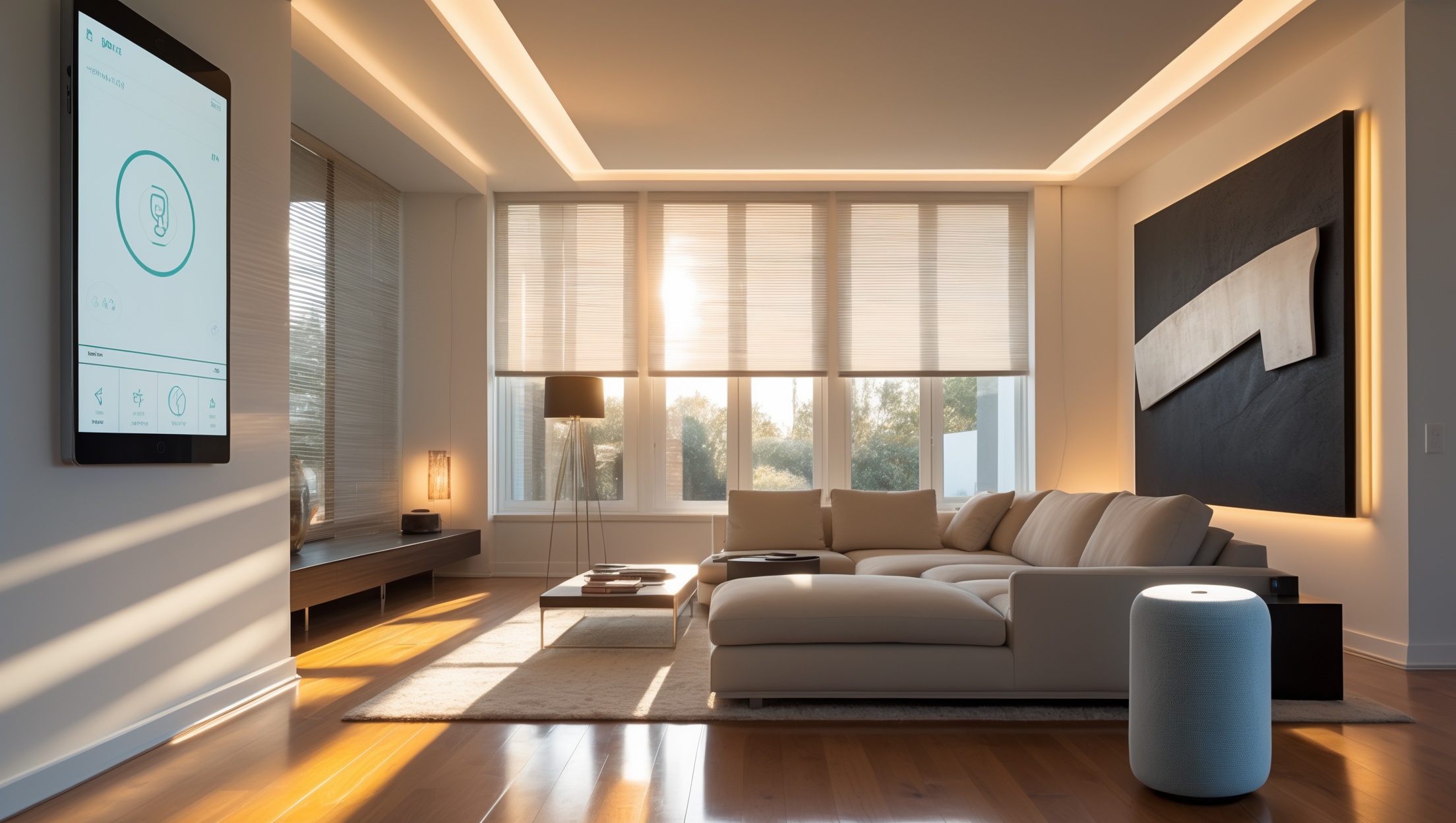
Introduction: Smart Home Automation on a Realistic Budget
In the last decade, smart home automation has transformed from a luxury reserved for tech enthusiasts to an attainable upgrade for homeowners of all backgrounds. Whether you’re dreaming of dimming lights with your voice, automating your thermostat, or securing your entryways with smart locks and cameras, adding intelligence to your home can boost property value, convenience, and energy efficiency. But as exciting as these innovations are, many homeowners are left wondering: how much do smart home upgrades really cost, and how can you budget for them without overspending or skimping on quality?
This comprehensive guide will walk you through the true cost breakdown of smart home automation, from entry-level setups to fully integrated systems. We’ll highlight the most common expenses, reveal hidden costs, and help you prioritize features based on your goals and lifestyle. You’ll also learn practical strategies to save money, avoid costly mistakes, and future-proof your investment—all without sacrificing functionality. Whether you’re a first-time upgrader or looking to enhance an existing setup, this guide delivers the clarity and confidence you need to make smart financial decisions for your home automation project.
Understanding the Smart Home Automation Landscape
What is Smart Home Automation?
Smart home automation refers to the integration of connected devices—such as lighting, climate control, security, and entertainment systems—into a unified system that can be controlled remotely or automatically. These devices communicate via Wi-Fi, Bluetooth, Zigbee, Z-Wave, or proprietary protocols, often coordinated through a central hub or app.
Common Smart Home Features
- Smart lighting (bulbs, switches, dimmers)
- Thermostats and climate control
- Security cameras and alarm systems
- Smart locks and doorbells
- Voice assistants (Amazon Alexa, Google Assistant, Apple Siri)
- Automated window coverings
- Leak and smoke detectors
- Integrated audio-visual systems
Setting Your Priorities: Needs vs. Wants
Identify Your Goals
Before diving into costs, clarify what you want to achieve. Are you focused on security, energy savings, convenience, entertainment, or a mix? List your must-haves and nice-to-haves. This step helps prevent budget overruns by keeping you focused on features that matter most.
Assess Compatibility and Scalability
Consider your existing infrastructure (Wi-Fi strength, wiring, devices) and whether you want a solution that’s easy to expand in the future. Some ecosystems (like Apple HomeKit or Samsung SmartThings) offer better long-term flexibility than others.
Cost Breakdown: Core Components of a Smart Home
Let’s break down the typical costs for the most popular smart home features. Prices vary by brand, features, and whether you DIY or hire a professional. All figures are based on US market averages in 2024.
Smart Lighting
- Smart bulbs: $10–$50 each
- Smart switches/dimmers: $40–$80 each (plus installation if hardwired)
- Starter kits: $80–$200 (usually includes a hub and two to four bulbs)
DIY installation is common, but hardwired switches may require an electrician ($75–$150 per visit).
Smart Thermostats and Climate Control
- Smart thermostat: $100–$300
- Professional installation (if needed): $75–$200
- Smart radiator valves or zone systems: $60–$150 per unit
Security: Cameras, Locks, and Alarms
- Video doorbell: $80–$250
- Outdoor camera: $60–$350 each
- Indoor camera: $40–$150 each
- Smart lock: $120–$300 per door
- Alarm system (starter kit): $200–$500
- Professional monitoring (optional): $10–$40/month
Some systems require a subscription for features like cloud storage or advanced alerts.
Voice Assistants and Hubs
- Smart speaker (e.g., Echo, Nest): $30–$200
- Smart display: $70–$300
- Smart home hub (if needed): $60–$150
Many modern devices work without a dedicated hub, but complex setups may benefit from one.
Smart Plugs and Sensors
- Smart plug: $10–$30 each
- Motion or door/window sensor: $15–$40 each
- Leak/smoke detector: $30–$120 each
Automated Blinds and Shades
- Retrofit motor kits: $100–$250 per window
- Custom smart blinds: $300–$800 per window
- Professional installation: $50–$150 per window
Integrated Audio-Visual Systems
- Multi-room audio: $200–$600 per room
- Universal remote hub: $100–$300
Summary Table: Typical Entry to Premium Budgets
| System | Entry Level | Mid-Range | Premium |
|---|---|---|---|
| Smart Lighting | $100–$300 | $300–$800 | $800–$2,500+ |
| Security & Cameras | $200–$500 | $500–$1,500 | $1,500–$5,000+ |
| Climate Control | $120–$400 | $400–$900 | $900–$2,000+ |
| Voice Assistants/Hubs | $30–$100 | $100–$300 | $300–$700 |
| Automated Shades | $150–$500 | $500–$2,000 | $2,000–$10,000+ |
| Audio-Visual | $250–$600 | $600–$2,000 | $2,000–$8,000+ |
Hidden Costs and Common Budgeting Pitfalls
Professional Installation Fees
While most smart devices are marketed as DIY-friendly, certain upgrades—like hardwired switches, thermostats, or whole-home systems—may require professional installation. Always factor in labor costs and obtain quotes before purchasing equipment.
Subscription and Cloud Storage Fees
Many smart security devices, cameras, and doorbells have recurring monthly fees for video storage, monitoring, or advanced features. These can add $5–$40 per month, per device or household, depending on the provider.
Upgrades to Network Infrastructure
A robust Wi-Fi network is essential for seamless smart home operation. You may need to invest in a mesh system or signal boosters ($100–$400) if your current setup can’t handle multiple devices.
Power and Wiring Modifications
Some devices require new wiring, outlets, or power supplies—especially in older homes. Budget for an electrician if needed, and always check compatibility before purchase.
Replacement and Maintenance
Smart devices may need occasional firmware updates or part replacements (e.g., batteries for sensors), and premium devices can be costly to repair or replace once warranties expire.
Budgeting Strategies for Smart Home Upgrades
1. Start Small and Scale Up
Begin with one system (like lighting or security) and add components as your budget allows. This approach minimizes upfront costs and lets you learn which features you truly benefit from.
2. Bundle and Save
Many manufacturers offer starter kits or bundles at a discount compared to buying individual devices. Look for seasonal promotions, loyalty discounts, or package deals.
3. Prioritize Devices with the Highest Impact
For most homeowners, smart thermostats and lighting offer the best return on investment in terms of energy savings and daily convenience. Security devices provide peace of mind and may lower insurance premiums.
4. Compare DIY vs. Professional Installation
- DIY Pros: Lower cost, more control, satisfaction of self-installation.
- DIY Cons: Risk of mistakes, voided warranties, safety concerns with electrical work.
- Professional Pros: Expertise, faster setup, compliance with local codes.
- Professional Cons: Higher upfront cost, scheduling hassles.
Weigh these factors carefully—sometimes a hybrid approach works best.
5. Plan for the Future
Choose devices and platforms that support future expansion and interoperability. Open standards (like Matter, Zigbee, Z-Wave) help you avoid vendor lock-in and costly replacements down the line.
Real-World Example Budgets
Entry-Level Automation: $500–$1,000
- 4–6 smart bulbs or switches
- Entry-level video doorbell
- Starter security kit (basic sensors, alarm)
- Voice assistant speaker
Ideal for renters or first-time upgraders who want to automate lighting and basic security without altering wiring.
Whole-Home Upgrade: $3,000–$7,000
- Smart lighting throughout the home
- Thermostat and climate zoning
- Multiple security cameras (indoor/outdoor)
- Smart locks on main entryways
- 2–3 voice assistants/displays
- Mesh Wi-Fi system
This covers most needs for an average-sized house, focusing on comfort, security, and connectivity.
Premium Custom Integration: $15,000+
- Automated blinds/shades on all windows
- Advanced audio-visual integration
- Custom security and monitoring system
- Professional installation and configuration
- Full-home automation hub with custom routines
Best for high-end properties or those seeking comprehensive, seamless control throughout the home.
Tips to Maximize Value and Avoid Common Mistakes
- Research compatibility: Not all devices work together; check for ecosystem support before buying.
- Don’t over-automate: Start with high-impact features rather than automating every switch or outlet.
- Read reviews and test apps: User experience varies widely; ensure apps are reliable and easy to use.
- Secure your network: Use strong passwords, enable two-factor authentication, and keep firmware updated to prevent hacking.
- Check for rebates: Some utilities and insurers offer rebates for energy-saving devices like smart thermostats.
- Budget for upgrades: Technology evolves quickly—set aside funds for future updates or replacements.
Frequently Asked Questions About Smart Home Costs
How much does it cost to automate an entire house?
For an average-sized home, expect to spend $3,000–$7,000 for a robust but not luxury setup. Large homes or premium integrations can exceed $15,000. Entry-level upgrades can be done for under $1,000.
Are smart home upgrades worth the investment?
Yes, especially for features that improve energy efficiency, security, and resale value. Many buyers now expect at least basic smart features in modern homes.
Can I save money by installing devices myself?
Absolutely—DIY installation can save hundreds to thousands of dollars, but always hire a pro for electrical or complex work if you’re unsure.
Do smart home devices require ongoing fees?
Some do, especially for video storage, monitoring, or advanced functionality. Always check before purchasing and factor these into your long-term budget.
Conclusion: Smart Spending for a Smarter Home
Smart home automation opens up a world of convenience, security, and efficiency for today’s homeowners, but it’s easy to be overwhelmed by the dizzying array of choices and price points. By breaking down the true costs of devices, installation, and ongoing service, you can take a measured approach that matches your needs and budget. Start by identifying the features that will make the biggest difference in your daily life, and build out your system from there—prioritizing reliability, compatibility, and future-proofing at every step.
Remember to watch for hidden costs like subscriptions, network upgrades, and professional labor, and don’t be afraid to start small. Many homeowners find that a few well-chosen upgrades—like a smart thermostat and lighting—deliver the best value, while others enjoy the benefits of a fully integrated system. Whatever your goals, careful planning and smart budgeting let you enjoy all the benefits of smart home living without unnecessary financial stress. With this guide in hand, you’re ready to make informed decisions and create a home that’s as intelligent as it is comfortable.
Ready to take the next step? Begin your smart home journey with clear priorities, a practical budget, and the confidence that comes from understanding every dollar you invest. Your future home is waiting!
Could you elaborate on how entry-level smart home systems compare to fully integrated setups in terms of long-term savings and potential upgrade costs down the line?
Entry-level smart home systems often cost less upfront and are easier to install, but they may have limited compatibility and could require replacing devices when upgrading. Fully integrated setups are pricier at first, but they’re more scalable and future-proof, potentially saving money in the long run by supporting smoother, less wasteful upgrades.
When budgeting for smart home automation, how much should I expect to pay upfront versus ongoing hidden costs like subscriptions or maintenance for things like security cameras or smart locks?
Upfront costs usually cover the devices themselves—like cameras or smart locks—which can range from $50 to $250 each. Ongoing costs may include cloud storage subscriptions for cameras ($3–$10/month per device) and occasional maintenance or battery replacements. Some features are free, but advanced capabilities often require subscriptions, so factor these into your budget.
If I’m starting out with just smart lighting and a thermostat, what are some ways to make sure my investments now won’t be outdated or incompatible in a couple of years?
To keep your smart lighting and thermostat future-proof, choose products that support common platforms like Matter, Zigbee, or Z-Wave. Look for brands known for regular software updates and broad compatibility. Starting with a reliable hub can also help you expand and connect new devices as technology evolves.
I noticed you mentioned hidden costs—could you elaborate on what unexpected expenses homeowners should watch out for when integrating things like smart locks and cameras into an existing system?
When adding smart locks and cameras, hidden costs can include professional installation fees, required subscription services for cloud storage, compatibility adapters for older systems, increased electricity use, and possible wiring upgrades. Also, warranty extensions and periodic maintenance might add to long-term expenses. It’s wise to review all these factors before your purchase.
If I want to start with just a basic setup and expand over time without wasting money, which features make the most sense to prioritize first for someone on a tight budget?
For a basic and budget-friendly start, prioritize smart lighting and a smart thermostat, as they offer immediate energy savings and convenience. You can expand gradually with smart plugs or a voice assistant hub, both of which are affordable and integrate well with future upgrades.
Can you give more specifics on what hidden costs might pop up during a smart home upgrade? I’m worried about unexpected expenses beyond just buying the devices.
Hidden costs can include professional installation fees, upgraded wiring or electrical work, purchasing extra hubs or adapters for compatibility, ongoing subscription fees for certain services, and possible costs for repairing walls or ceilings after running wires. Also, if you move or remodel, relocating devices can add expenses.
I noticed you mentioned different communication protocols like Zigbee and Z-Wave. How does choosing between these impact the total upfront and long-term costs of a starter smart home system?
Choosing Zigbee or Z-Wave affects both upfront and long-term costs. Zigbee devices are often less expensive initially and have more options from various brands. Z-Wave devices may cost a bit more, but they tend to offer strong compatibility and reliability. Long-term costs are similar, though availability and pricing can shift as new products emerge and the market evolves.
You mentioned future-proofing your investment—are there certain automation devices or brands that are more likely to keep working well as new technology comes out?
Products from established brands like Philips Hue, Lutron, and Samsung SmartThings tend to offer better long-term compatibility and regular software updates. Devices that support common standards like Zigbee, Z-Wave, or the newer Matter protocol are also more likely to remain compatible with future systems and devices.
Do you have any tips on how to avoid hidden costs when integrating both Zigbee and Z-Wave devices into an existing Wi-Fi network? I’m worried about compatibility and extra expenses popping up.
To avoid hidden costs, make sure your smart home hub supports both Zigbee and Z-Wave standards. Double-check device compatibility before you buy, and consider unified hubs to reduce the need for separate bridges or adapters. Factor in any recurring subscription fees for advanced features, and plan for professional installation only if necessary.
When budgeting for smart home upgrades, do the hidden costs you mention typically come from installation fees or from things like needing extra hubs and repeaters to get everything communicating?
Hidden costs can come from both areas. Installation fees can add up, especially if professional help is needed. At the same time, extra expenses often arise when you need additional hubs, repeaters, or compatible accessories to ensure all your devices work seamlessly together.
You mention hidden costs in smart home upgrades. Could you give some specific examples of what those might be, especially things that first-timers might overlook in their budget?
Some hidden costs in smart home upgrades include extra wiring or electrical work, hiring professionals for installation, purchasing compatible hubs or bridges, and ongoing subscription fees for certain devices or apps. First-timers often overlook the cost of backup batteries, replacement parts, or expanded Wi-Fi coverage if their network isn’t strong enough for all devices.